Tag: Incident Reporting Software

  • What Is a Performance Development Plan? A Guide for Security Teams

    What Is a Performance Development Plan? A Guide for Security Teams

    A performance development plan is a written agreement between a manager and an employee that sets specific goals, the support needed to reach them and the dates those goals will be reviewed. For a security team it turns a vague “improve your patrols” conversation into a documented plan the guard has seen, understood and formally accepted. That accepted record is what protects both sides when performance is later disputed.

    Security operations run on shift work, spread across sites, with supervisors who rarely sit in the same room as the guards they manage. Development conversations happen verbally at a gatehouse and are forgotten by the next roster. A performance development plan fixes that gap by putting the goal, the timeline and the acknowledgement in one place.

    Why a performance development plan matters for security staff

    Guarding is measured on consistency: patrols completed, checkpoints scanned, handovers logged, incidents reported correctly. When a guard falls short, most teams either ignore it or jump straight to disciplinary action. A performance development plan is the missing middle step. It gives the guard a fair, recorded chance to improve before anything escalates.

    It matters for three reasons. It creates accountability, because the guard has accepted a specific goal rather than a general complaint. It creates a paper trail, so if the same issue recurs the escalation is defensible. And it supports retention, because good guards stay where they can see a path to a supervisor or site-lead role rather than being managed only by punishment.

    Without a documented plan, the common failure is disagreement about what was ever agreed. The guard says no target was set; the supervisor says it was discussed. Neither can prove it. A plan the guard has formally accepted removes that argument entirely.

    How a performance development plan works

    A good plan follows a simple loop: agree the goal, record the guard’s acknowledgement, set a review date, then review against the same written target. The strength of the process is that nothing depends on memory.

    In AVES the Performance Development Plan module holds the plan as a formal record and requires the employee to accept or decline it. That accept or decline response is the part paper forms never capture. When a guard accepts, you have proof they saw and agreed the goal. When a guard declines, you have an early signal that a conversation is needed before the review period even starts, not after it has failed.

    Because the plan lives in the same system as the guard’s operational records, the review is grounded in evidence rather than impression. Patrol completion, shift handover submissions and incident reports already sit in the platform, so a supervisor reviews the plan against what actually happened on shift instead of relying on a gut feeling about the guard.

    What to include in a performance development plan

    Keep it short enough that a guard reads it on a phone at the start of a shift. Every plan should cover:

    • The specific goal. Not “be more reliable” but “complete all scheduled patrol checkpoints on every shift” or “submit the shift handover before leaving the post”.
    • The current gap. A plain statement of where performance stands today, so the target is measured against a known starting point.
    • The support offered. Retraining, a mentor, a refresher on the app, or a revised checklist. A plan that only lists demands and no support is a warning, not a development plan.
    • The review date. A fixed date when manager and guard sit down against the same written goal.
    • The acknowledgement. The guard’s formal accept or decline, with the name, date and time recorded automatically.

    That acknowledgement is the difference between a plan and a note. Everything above it is intention; the accept or decline is the evidence.

    Common mistakes to avoid

    The most frequent error is writing goals a guard cannot control. Tying a plan to “reduce site incidents” punishes the guard for events outside their influence. Tie it instead to the behaviours they own: patrols scanned, handovers logged, reports filed correctly.

    The second mistake is no acknowledgement step. A plan the employee never formally accepted is worth little if performance is later challenged, because there is no proof the guard ever agreed to it. Always capture the accept or decline.

    The third is setting a plan and never returning to it. A review date that passes unactioned tells the guard the plan was never serious, and every future plan carries less weight. If you set a date, hold the review.

    The fourth is confusing development with discipline. A performance development plan is a chance to improve. A disciplinary or show-cause notice is a separate, later step for when improvement has not happened. Keeping the two distinct keeps the development plan constructive and keeps your escalation defensible.

    Frequently asked questions

    What is a performance development plan?

    A written agreement between a manager and an employee that sets specific goals, the support to reach them and a review date, with the employee’s formal acknowledgement recorded. For security staff it converts a verbal coaching chat into a documented, accepted plan.

    How is a performance development plan different from a performance improvement plan?

    A development plan is generally forward-looking and can apply to any guard growing toward a target, including strong performers. A performance improvement plan is usually the more formal, remedial step when performance is already below standard. In practice the structure, of goal, support, review and acknowledgement, is much the same.

    Who should sign off a performance development plan?

    The supervisor or site lead who set the goal and the employee it applies to. The employee’s accept or decline is the essential record; a plan without the employee’s acknowledgement is incomplete.

    How often should a performance development plan be reviewed?

    Set an explicit review date when the plan is created, commonly 30 to 90 days out depending on the goal. The key is that the review happens against the same written target the guard accepted.

    Can a performance development plan lead to disciplinary action?

    It can, if the agreed goal is not met after fair support and a proper review. Kept separate and documented, the development plan becomes the evidence that the guard was given a fair chance before any escalation.

    Set fair, trackable development plans for your guards

    AVES holds each performance development plan as a formal record with a built-in accept or decline step, and reviews it against the patrol, handover and reporting data your guards already generate, so every plan is fair, tracked and defensible.

    Book a 30-minute demo and we will show you the actual Performance Development Plan screen, including how the accept or decline acknowledgement is captured: book a demo.

    See how security teams put this into practice on our Instagram.

    Prefer to explore first? Start a free trial and set up your first development plan today.
  • Security Supervisor Daily Report: 5 Proven Ways to Roll Up Every Site Without Missing a Thing

    Security Supervisor Daily Report: 5 Proven Ways to Roll Up Every Site Without Missing a Thing

    By Nithish, AVES Security Management.

    Here is something nobody tells you when you move from guard to supervisor.

    The job does not get harder because of the sites. It gets harder because of the paperwork that is supposed to make sense of them.

    A guard has one shift to account for. You have five sites, twelve guards, three client contacts who want updates by 8am and a pile of daily reports that all look slightly different because nobody agreed on a format when the company started.

    The security supervisor daily report is supposed to solve that. Most of the time, it just adds to the pile. Getting the security supervisor daily report right is not about working harder; it is about knowing what the report is actually for and building it the right way from day one.


    Nobody Taught You This Part

    When you were a guard, your daily activity report covered your shift. Your post, your patrols, your incidents. Simple enough.

    The moment you became a supervisor, the expectation changed. Now you are supposed to produce a security supervisor daily report that covers everything across every site, makes sense to a client who was not there and still lands in the inbox before the next shift starts.

    What most supervisors actually do is stitch together bits from each guard’s report, add a few lines at the top and call it done. That is not a supervisor’s report. That is a compilation. And there is a real difference between the two.

    A compilation tells you what happened. A proper security supervisor daily report tells you what mattered, who is handling it and what tomorrow looks like because of it.

    According to ASIS International, documented supervisor oversight is one of the core requirements for security operations seeking compliance certification. A daily roll-up that covers exceptions, actions and outcomes is the practical version of that requirement.


    What the Security Supervisor Daily Report Is Actually For

    Before fixing the format, get clear on who reads this and what they need from it.

    Your operations manager needs to know if anything blew up overnight and whether it is handled. They do not want to read six pages to find out.

    Your client needs to know their site was covered, that anything unusual was caught and that someone is on top of it. They are not interested in what happened at your other accounts.

    You need a record that protects you if something from last Tuesday becomes a legal question next month.

    One security supervisor daily report has to serve all three purposes. That is why the format matters more than most supervisors think. You can read more about how shift-level records connect to the supervisor roll-up in our guide on the security daily activity report.


    1. Lead With What Went Wrong, Not What Went Right

    Most security supervisor daily reports are written like everything is fine until you get to the part where it was not.

    Flip that. Open with anything that broke pattern today. A guard who did not show. A checkpoint that was skipped. An incident is still open. A piece of equipment that was flagged and not yet fixed.

    If there is nothing in that list, say so in one line and move on. If there is something, it goes first. Not because you want to lead with bad news, but because that is what everyone reading the report actually needs to know.

    Burying a problem in paragraph four of the Site 3 section is how things get missed. A client who skims the security supervisor daily report, which most of them do, should not have to hunt for the part that affects them.

    The International Foundation for Protection Officers notes that supervisor reporting failures are most commonly traced back to poor prioritisation critical information buried behind routine updates rather than leading the document.


    2. Write by Site, Not by Guard

    This one sounds obvious, but almost nobody does it right.

    A well-structured security supervisor daily report is organised by site, not by individual guard. If you manage fifteen guards across five sites, you do not write fifteen summaries. You write five. One per site, covering the same four things each time: who showed up, whether patrols were completed, what incidents occurred and what is still open from a previous day.

    That structure means anyone reading the security supervisor daily report can go straight to the site they care about. It also means you stop spending time on guard-level detail that belongs in the individual DAR, not in your roll-up. For a clear picture of what belongs in a guard-level DAR versus a supervisor report, see our breakdown of shift handover checklists.

    A client managing a logistics warehouse does not need to know that the guard on the night shift at your retail account went home early. They need to know what happened at their site. Keep it that way.


    3. Every Problem Needs an Owner

    A security supervisor daily report that lists problems without saying who is fixing them is just a complaint log.

    For every open item, put one line underneath it. Who is handling it and when will it be resolved?

    That is it. No long explanation. No defensive justification. Just accountability in writing.

    When you do this consistently, two things happen. Clients stop asking follow-up questions because the answer is already there. And your own team gets used to the idea that if something is flagged in the security supervisor daily report, someone’s name goes next to it.

    That is how you stop the same problem from appearing in the report three days in a row with no movement.


    4. The Client Version Is Not the Same as Your Internal Version

    Everything goes in the internal security supervisor daily report. Guard performance issues, roster gaps, operational problems across accounts, anything you need for your own records.

    The client gets a filtered version. Their site, their coverage, their incidents and the resolution timeline for anything that affected them. Nothing about your other accounts. Nothing about internal staffing conversations.

    This is not about hiding things. It is about relevance. A client reading a security supervisor daily report, full of information about accounts they have nothing to do with, stops trusting that you know what is important.

    With AVES, this is not a manual process. The supervisor sees everything across all sites in the dashboard. The client report pulls only what is relevant to them and exports as a PDF. You are not rewriting the report. You are just choosing who sees which part of it. The same approach applies when you structure your daily briefings: internal detail stays internal, client communication stays clean.


    5. The Report Is Only as Good as the Data Going Into It

    This is the part most people do not want to hear.

    If your guards are filling in their daily reports at the end of a twelve-hour shift from memory, your security supervisor daily report is built on guesswork. Times get rounded. Small things that happened at 3am do not make it in because nobody wrote them down when they happened.

    When entries are logged in real time, patrol rounds are confirmed by checkpoint scanning, incidents are recorded on the spot with a photo and visitor passes are entered at the gate rather than remembered later, the roll-up you build from that is accurate. Not approximately accurate. Actually accurate.

    A client who asks what happened at 2am on a specific night gets a timestamped answer from a live record, not a best reconstruction from a tired guard’s memory. That difference is the entire reason digital reporting exists.

    The Security Industry Association consistently highlights real-time data capture as the single biggest driver of reporting quality in modern security operations. Use it.


    One Last Thing

    The security supervisor daily report does not have to take an hour every day. With the right structure and real-time data feeding it, ten minutes is realistic.

    What a good security supervisor daily report has to do is give the people reading it exactly what they need, without making them dig for it. That is not a complicated ask. It just requires being deliberate about what goes in, what gets left out and who the security supervisor daily report is actually written for.

    Get that right and the report stops being the part of the job you resent. It becomes the thing that proves you are on top of it.

    Q: What is a security supervisor daily report?
    A: It is the end-of-day document a supervisor puts together covering every site they are responsible for. Not a copy of the guard reports. A review of what happened, what needs attention and who is handling what. Think of it as the view from one level up.


    Q: How is it different from a guard’s daily activity report?
    A: A guard writes about one shift at one site. A supervisor writes about all shifts across all sites. Same day, completely different scope. If you are just forwarding guard reports to a client, that is not a supervisor report. That is just email forwarding.


    Q: How long should it be?
    A: Long enough to cover what matters, short enough that someone actually reads it. Most well-run operations land between one and two pages. If yours is running five or six pages every day, you are including things that do not belong in a supervisor-level document.


    Q: How often should a security supervisor daily report be submitted?
    A: Every day. Not when something happens. Not when a client asks. Every day, whether the shift was quiet or chaotic. A report that only appears when something went wrong is not a reporting system. It is damage control.


    Q: Do clients get the same report as internal management?
    A: They should not. Internal reports carry everything: staffing issues, performance notes and problems across other accounts. Clients only need to know about their site. Their coverage, their incidents, anything open that affects them. Mixing the two in one document is how you create confusion and erode trust.


    Q: What is the biggest reason supervisor reports fail?
    A: The data going into them. A report built from guard entries that were filled in from memory at the end of a twelve-hour shift is not accurate. It is the best guess written when everyone is tired. Real-time logging fixes this. Not partially, completely.


    Q: Can software actually help with this or is it just another tool to manage?
    A: Depends on the software. If it just stores reports digitally, it saves paper and not much else. If it timestamps entries as they happen, confirms patrol rounds through checkpoint scanning, and lets you generate a client-facing PDF without rewriting everything manually, it saves real time and produces a report you can actually stand behind when a client asks a hard question.

    FOR MORE INFORMATION, VISIT OUR WEBSITE: https://avessecurity.com/

    NEED FASTER UPDATES FOLLOW US ON LINKEDIN: https://www.linkedin.com/company/aves-security-management-system

  • Contractor Management Software for Security Teams: Gate Access, Not Payroll

    Contractor Management Software for Security Teams: Gate Access, Not Payroll

    By Nithish, AVES Security

    Why “contractor management software” searches lead you to the wrong tool

    If you’re searching for contractor management software as a security team, you’ve probably already noticed the results don’t match what you need.

    I get this question a lot from site managers: “We searched for contractor management software and none of it does what we need. Is that normal?”

    Yes. Completely normal and worth explaining, because it’ll save a few wasted demo calls.

    Type “contractor management software” into Google and you’ll get Deel, Workday, a handful of HR-compliance platforms and a Capterra listicle comparing all of them.

    Every one of these tools is built for the same job: onboarding a contractor as a worker.

    Collecting their W-9, checking that their insurance is current, paying them in the right currency, tracking whether a certification expires next month.

    According to OSHA’s contractor safety guidance, that side of contractor management is real and regulated. It’s just not what a guard at a gate needs at 7am when a plumber shows up claiming he has a job order for Building C.

    Two different questions, one confusing search term

    “Is this person allowed to be here right now?” and “Is this person set up correctly as a vendor in our system?” are not the same question, even though both are called contractor management software.

    A security team almost never cares about the second one, which is payroll and legal’s job.

    A guard cares about the first and most contractor management software marketed under this term doesn’t answer it at all.

    What actually matters at the gate

    Ask a guard what goes wrong with contractors and the same handful of things come up, over and over.

    The contractor arrives and nobody at the gate knew they were coming, so someone’s calling around trying to find whoever approved it.

    The job finished two days ago, but access was never switched off because turning it off required someone to remember to do it.

    There’s no record of when the contractor actually left, just a guess based on when the truck was gone.

    A contractor wanders into an area they weren’t supposed to be in because nothing stopped them and nobody was watching that door.

    A client asks for a report of every contractor visit last month and someone has to dig through a logbook where three different guards updated it inconsistently.

    None of these are payroll problems. Their access problems are closer to what our gate pass management system already handles for one-off visitors.

    They need a system built around the gate, not the vendor file.

    What good contractor management software for security actually looks like

    Pretty simple, honestly. A contractor’s visit is scheduled and approved in advance, not improvised at the barrier.

    Access has a start and an end and it expires automatically rather than relying on someone to revoke it.

    Entry and exit both get logged the same way our geofence attendance tracking timestamps a guard’s location on a round.

    That means a contractor who checked in but never checked out shows up as exactly that: an open question, not a closed record.

    If a job needs an escort or is restricted to one part of the site, the system knows that and flags it rather than leaving it to memory.

    That’s the whole job. Not glamorous.

    But it’s the difference between a guard answering “who’s on site right now and why” in ten seconds, versus fifteen minutes of phone calls.

    Where this sits next to gate pass

    If you already use a gate pass format, contractor site access is basically the same mechanism.

    It’s applied to people who come back regularly and often need specific rules attached to inductions, restricted zones and a longer access window than a one-off visitor would get.

    Same underlying event, different shape.

    What we’re not claiming

    This doesn’t replace a real HR or compliance platform and it shouldn’t try to.

    It won’t issue a 1099. It won’t chase down an expired insurance certificate covered under something like OSHA’s recordkeeping rules.

    If that’s the gap you’re trying to close, you want Deel, Workday or something in that category.

    The two tools solve different problems and most teams end up needing both eventually.

    The bottom line

    If you went looking for contractor management software because you wanted to know who’s allowed on your site and when, you were in the right neighborhood but the wrong building.

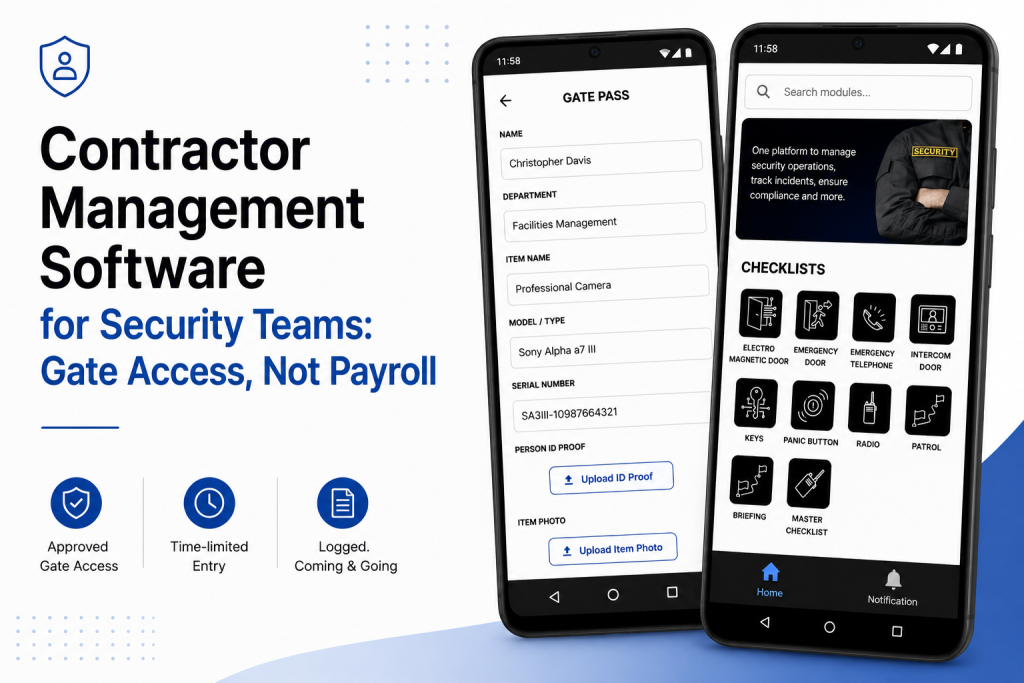
    What you actually need is contractor management software built around the gate approved before arrival, time-limited, logged coming and going, visible to whoever’s asking.

    For More Details: https://avessecurity.com/

    Visit Our visit: https://www.linkedin.com/company/aves-security-management-system

    FAQs

    Isn’t contractor management software just for HR and payroll stuff?
    Most of what shows up under that name, yes, W-9s, insurance certs, payments. That’s a real need, just not a security one. If you’re trying to answer “who’s on my site right now and why,” you need something built around the gate, not the vendor file.

    We already use Deel/Workday for our contractors. Do we still need this?
    Probably, if security is a concern. Deel and Workday tell you that a contractor is set up correctly as a vendor. Neither one tells your guard whether that plumber at the gate is actually supposed to be there today. Different jobs and most sites end up needing both.

    What happens if a contractor forgets to check out?
    It stays open on the record instead of getting quietly closed. No guessing based on when the truck left the lot; if there’s no exit log, the system shows it as unresolved so someone can actually follow up.

    Can we restrict a contractor to certain areas of the site?
    Yes. If a job only needs access to one zone or needs an escort, that gets attached to the visit when it’s approved, not left to whoever’s at the gate that day to remember.

    How is this different from your regular gate pass system?
    Mechanically, it’s close. Contractor access is usually recurring, tied to inductions and open for a longer window than a one-time visitor pass. Same underlying idea, just shaped for people who come back.

    Can we pull a report of every contractor visit for a client or audit?
    Yes and it’s the same log the guards are already using at check-in and check-out, not a logbook that three different shifts filled in differently.

    Does this handle things like expired insurance or certifications?
    No. That’s still HR/compliance territory. OSHA-covered stuff like insurance and certs belongs with a platform like Deel or Workday. This tool answers “are they allowed on site right now,” not “are they legally compliant to be a vendor.”

  • Security Guard Audit Checklist: What Site Inspectors Actually Check

    Security Guard Audit Checklist: What Site Inspectors Actually Check

    By Nithish, AVES Security

    A security audit checklist is what separates a clean inspection from an awkward one. I’ve sat across the table during audits that went fine and audits that went badly and the difference was almost never the guards. It was the paperwork. An inspector asks for last month’s patrol records and someone digs out a stack of registers a few gaps here, a guessed time there, one page where the ink’s gone faint enough you can’t read it. Nobody’s accusing anyone of skipping rounds. The client just wanted proof and there wasn’t any sitting ready.

    That’s really what a security audit checklist is for. Not “did the guard do the job,” that part’s usually fine, but “can you show someone who wasn’t there that it happened.”

    What is a security audit checklist actually for

    A security audit checklist like this ends up in front of three kinds of people and they’re not all looking for the same thing.

    A client’s compliance officer is checking the contract got delivered right number of patrols, right intervals, incidents logged and closed. A regulator wants to see statutory requirements actually followed, not just claimed on paper. And your own supervisor doing a spot-check is trying to catch a site that’s slipping before the client notices it first.

    Different people, same underlying test though: does this record match something that actually happened and when.

    What a security audit checklist actually covers

    Every site has its own quirks, but pull those aside and most audits client, regulatory, internal, doesn’t matter end up checking the same seven things.

    Attendance and shift coverage. Was someone actually on site every hour they were supposed to be, no unexplained gaps between shifts.

    Patrol completion. Were the rounds walked, in the right order, not just marked done at the end of the night.

    Incident handling. Logged when it happened, escalated if it needed escalating, closed with an actual outcome not left open.

    Key and access control. Who had which key, when they took it, when it came back.

    Visitor and contractor movement. Who came in, when and who approved it?

    Equipment and defect reporting. Faults and damage flagged when they’re found ideally before the client spots them first.

    Training records. Can you actually show who was trained on what and when?

    An inspector isn’t expecting a perfect site. They’re expecting a record for each of those seven, produced without anyone scrambling to reconstruct it from memory the night before.

    Where a security audit checklist usually finds gaps

    It’s rarely the first item that trips a site up. It’s usually somewhere in the middle a patrol that got logged but has no timestamp to prove it was on schedule or a visitor with an entry time and no exit time. Any one of those looks minor on its own. Line up a month of them and that’s the gap between a clean audit and a follow-up visit.

    The worst version of this is when two records that should match don’t. A key register showing a guard holding keys during a shift, the attendance log says they weren’t even on site that’s not a gap, that’s a records problem and it’s a lot harder to explain away than a missing entry.

    How a security audit checklist changes on audit day

    None of this means guards do more work. It means the same seven categories get captured once, when they happen, tied to a timestamp and a name instead of written up later from memory. When a client or regulator wants the last quarter, that’s a filtered report instead of someone flipping through binders looking for the right week.

    It’s the same shift that’s already happened with patrol verification, key custody and occurrence logging on individual sites. A security audit checklist stops being a scramble before an inspection and just becomes a byproduct of the daily paperwork being accurate to begin with.

    Regulatory bodies like ASIS International publish general standards for physical security audits and most client contracts in this space borrow the same core structure coverage, incident handling and access control, at minimum.

    Preparing your security audit checklist before an inspection

    Don’t try to backfill history inspectors can usually tell a record written at the time from one written last week to cover a gap. Better to pull those seven categories from your duty roster and gate pass records for the last thirty days and see where the actual holes are that’s usually where a security audit checklist review starts anyway. Most of the time it’s one or two, not all seven. Fix the process from here, be straight about it if asked and treat the audit as the thing that told you where the weak spot actually was.

    The bottom line on your security audit checklist

    A security audit checklist isn’t a form you fill in before someone visits. It’s a check on whether the records you’re already keeping can stand on their own, without you in the room explaining what really happened. The sites that get through audits without drama aren’t the ones with the thickest file they’re the ones where the paperwork was right the first time it was written.


    Frequently asked questions

    What is a security audit checklist? A security audit checklist is a list of the records and controls an inspector checks to confirm a site’s security operations are actually happening as reported attendance, patrols, incidents, keys, visitor movement, equipment condition and training records.

    Who typically requests a security audit checklist? Three groups usually ask for it: a client’s compliance officer verifying contract terms are met, a regulator or licensing body confirming statutory requirements and a company’s own supervisor running an internal spot-check.

    How often should a security audit checklist be reviewed? Most sites review it monthly at minimum, with a fuller pass before any scheduled client or regulatory audit. Waiting until an audit is announced to check your records usually means finding the gaps too late to fix them.

    What’s the difference between a security audit checklist and a daily guard checklist? A daily guard checklist covers what happens during a single shift gear checks, rounds, handover. A security audit checklist looks backward across a period of time to confirm those daily records are complete, consistent and provable.

    Can a security audit checklist be done digitally instead of on paper? Yes. A digital checklist ties each entry to a timestamp and the person who logged it, which is what most inspectors are actually looking for a record they don’t have to take on trust.

    What happens if gaps show up during a security audit? A gap on its own usually isn’t fatal to an audit. What matters more is whether the company can explain it and show the process has since been fixed, rather than trying to backfill records after the fact.

    For more details visit our website: https://avessecurity.com/

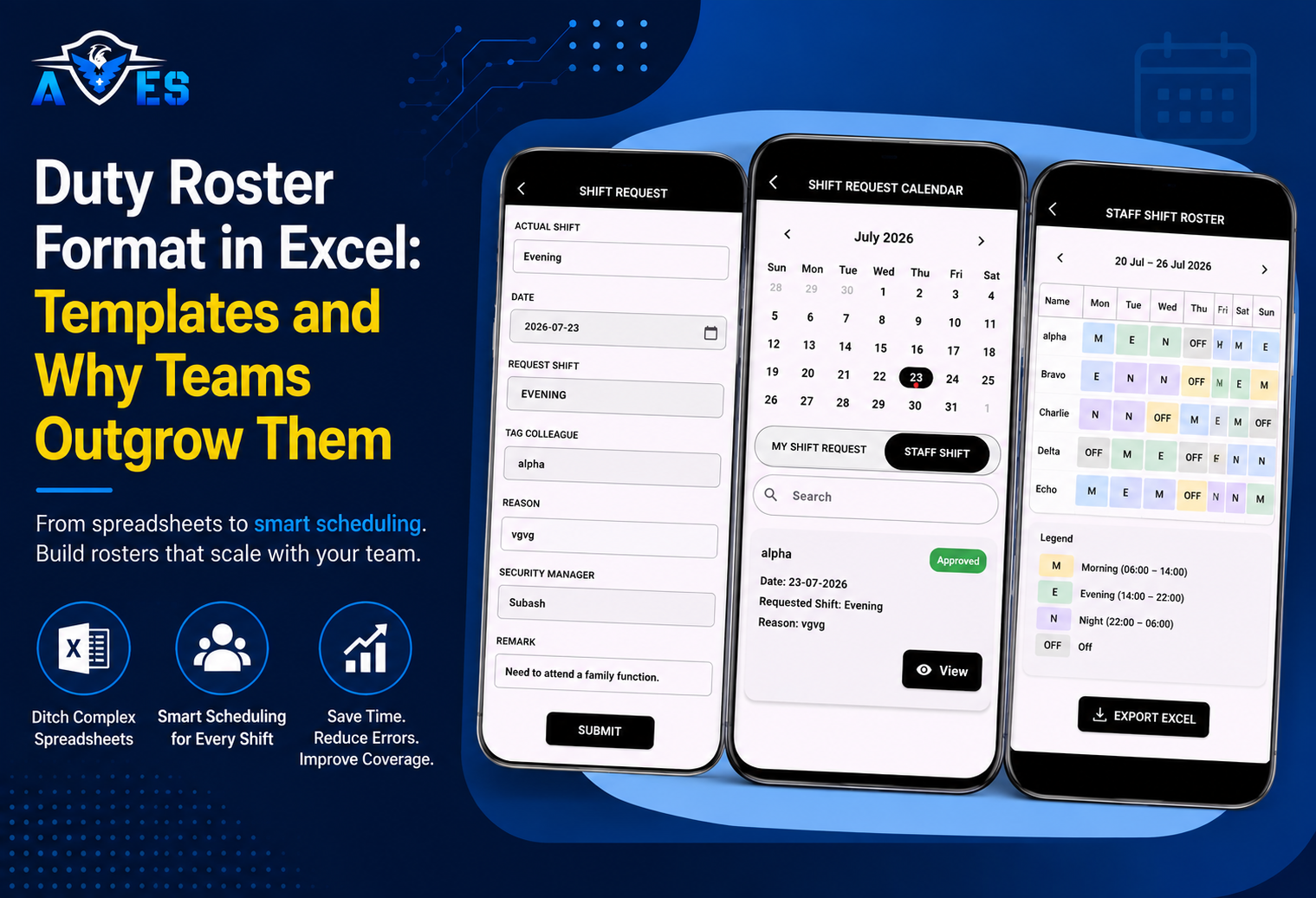
  • Duty Roster Format in Excel: Templates and Why Teams Outgrow Them

    Duty Roster Format in Excel: Templates and Why Teams Outgrow Them

    By NITHISH, AVES Security

    A duty roster Excel file is usually the first thing any growing security team builds and also the first thing that quietly starts causing problems. A supervisor I know keeps three versions of the same one on her laptop: “Roster Final,” “Roster Final v2,” and one just called “Roster Final USE THIS ONE.” She’s not disorganized. She’s just been burned enough times by an overwritten cell that she started keeping backups out of habit.

    That’s basically the story of every duty roster Excel sheet once it’s been in use for more than a few months. It works, mostly, until the day it doesn’t and then everyone remembers why they should have saved a copy.

    Here’s a format that holds up better than most and the honest version of where it eventually stops being enough.

    Duty Roster Excel Columns That Actually Matter

    Skip the fancy templates for a second. Most duty roster Excel templates you’ll find online look great in a preview and fall apart the first time a relief guard needs to check them at 5:45 in the morning, half asleep, on a phone screen.

    What actually needs to be in there:

    Guard name and ID first names alone get confusing fast, especially once you’ve got two or three guys named Kumar on the same site roster.

    Which post or gate are they assigned to? Sounds obvious. It keeps getting skipped and no one’s sure who was supposed to be covering the loading dock last Thursday.

    The date and the shift code, plus the actual start and end times written out. Please don’t ask anyone to decode “B2” from memory.

    A column for the relief guard, if there is one. Handovers that only exist in someone’s head tend to fall apart exactly when you need them not to.

    Leave, weekly off, overtime, one column, clearly marked. This alone stops a good chunk of payroll arguments before they start.

    And somewhere, a sign-off from a supervisor. Even something as basic as a checkbox saying “reviewed” catches mistakes before they become someone’s underpaid paycheck.

    Use color if you want, shift types in blue, night shifts in grey, whatever makes sense to your team. Just don’t rely on it alone. Somebody’s going to open this on a phone in bad lighting and need the text to tell the real story.

    Keep Your Duty Roster Excel Layout Boring

    The rosters that actually survive week to week are the boring ones. Guards down the side, dates across the top, shift code in each box, a little legend underneath explaining what everything means.

    That’s genuinely it.

    Where things go sideways is when someone gets clever. Formulas that try to auto-balance the shifts. Conditional formatting was stacked five layers deep because it looked neat in a tutorial video. A macro that only the person who built it two years ago actually understands and that person is now on maternity leave.

    A roster needs to make sense to a tired supervisor who just walked in at 6am. It doesn’t need to impress anyone with spreadsheet wizardry.

    Duty Roster Excel Mistakes That Show Up Almost Every Time

    If you’re setting up a duty roster Excel sheet for the first time, a few mistakes show up again and again.

    One master file, no backups, no version history. Someone types over last Tuesday’s entry and three weeks later, there’s no way to prove what the roster actually said when a guard disputes their hours.

    Confusing the roster with attendance. These are not the same thing, even though they are treated like they are constantly. The roster says who’s supposed to show up. It has zero connection to who actually did it.

    No legend or an outdated one. A new supervisor inherits the file and has no idea what “C2” or “N1” means, so they either guess or bother someone to explain it.

    Every site builds its own version separately. Nobody standardizes early and six months in, none of the sheets match up when someone tries to pull it all together.

    Where a Duty Roster Excel Sheet Actually Breaks Down

    None of this is really Excel’s fault, to be fair to it. It just wasn’t built to be a live operational record. It’s a planning tool and it does that part fine. The trouble starts when a growing operation quietly starts asking it to do more.

    There’s no audit trail once a cell gets overwritten. That old value is just gone. So when a guard says, “I worked that Saturday night,” and the current version of the sheet says he didn’t, there’s no way to check who’s right. That’s not a comfortable spot to be in when a client’s asking the same question.

    The sheet also has no idea what’s happening right now. It’ll show you the plan, sure, but it has no clue that the guy scheduled for the 10 pm gate shift hasn’t actually turned up yet. Somebody usually finds that out the hard way, after the gap has already existed for a while.

    And attendance is a whole separate problem; the roster was never built to touch. Who was scheduled and who actually clocked in are two different questions and in most Excel setups, somebody’s manually cross-referencing two files at the end of the month trying to make the numbers agree.

    When You’ve Outgrown a Duty Roster Excel Sheet

    There’s no magic number of guards where this suddenly becomes a crisis. It depends more on how many sites you’re juggling and how much proof clients expect from you these days.

    A few things worth paying attention to:

    You’re keeping the roster, the attendance log and the leave tracker as three separate files and matching them up by hand every month.

    A client asked who was on duty on a specific night and the honest answer is it took you longer than it should have to be sure.

    Shift swaps are happening over WhatsApp faster than anyone is updating the actual file.

    There’s been more than one payroll argument that traced back to “well, the sheet said something different.”

    If none of that rings a bell yet, stick with the duty roster Excel format above. It’ll do the job for a while longer.

    If it does sound familiar, the fix isn’t really about ditching Excel. It’s about the three things it was never going to be able to give you on its own: a real audit trail, a live picture of who’s actually covering a post right now and a direct link between the plan and what’s actually happening on the ground. This is exactly the gap AVES closes for security teams who’ve outgrown a spreadsheet.


    For the full breakdown on shift patterns and statutory rest rules, see security guard duty rosters. To see what a live coverage view actually looks like, check out geofence attendance or the AVES Security Guard Management System.

    Frequently Asked Questions

    1. What is a duty roster in Excel, really?

    Just a spreadsheet showing who’s working, when and where. That’s it. Small teams gravitate toward it because everyone already has Excel open half the day anyway.

    2. Does Excel actually hold up for security guard scheduling?

    For a small crew on one site, sure, it does the job. Things start slipping once you’ve got more guards, more sites, more moving pieces. Someone forgets to save the latest version, another supervisor edits a different copy and suddenly nobody’s sure which file is current.

    3. What actually needs to be in the template?

    The basics, nothing fancier:

    • Name and ID
    • Date, shift timing
    • Which post are they covering
    • Relief guard, if there’s one
    • Leave or weekly off
    • Overtime
    • A sign-off from whoever’s supervising

    That’s genuinely all it needs. People overbuild these things and it backfires.

    4. Isn’t the roster basically the attendance sheet?

    No and mixing these two up causes more headaches than people expect. The roster is the plan. Attendance is what actually happened. A guard being scheduled doesn’t mean he showed up and that gap is exactly where a lot of payroll arguments start.

    5. Why do companies eventually ditch Excel?

    Usually not because Excel did anything wrong. It’s more than the operation grows past what a spreadsheet can reasonably track. A few supervisors editing the same file, shift swaps happening every other day, a client asking who was posted last Tuesday and needing an answer fast. Excel just wasn’t built for that pace.

    6. Can one file cover multiple sites?

    You can try. In practice, it gets messy. Every site tends to build its own version and six months in, none of them match. If you’ve got more than one location, standardizing the format sooner rather than later saves a lot of pain.

    7. How often should it be updated?

    Weekly or monthly for the regular schedule. But leave approvals, emergency swaps, last-minute replacements? Those need updating right away. Sitting on it even for a day creates confusion nobody asked for.

    8. When’s it time to stop using Excel altogether?

    If you’re spending real time untangling version conflicts, chasing payroll disputes or digging through old files just to answer “who was on shift that night,” that’s usually your answer. That’s the point where a proper system with live tracking starts paying for itself.

    9. Does going digital actually help with compliance?

    It does more than people expect when they go in. You get an actual history of changes instead of a memory of what probably happened. When a client or auditor wants proof, you’re not stitching it together from three different files at the last minute.

    10. Is a duty roster the same as shift scheduling?

    Close, but not quite. Scheduling is the thinking part, working out who covers what and when. The roster is what you end up with once that thinking is done: the actual document that says who’s where.

    For more details, visit our LinkedIn AVES

  • Essential Gate Pass Format: Material, Vehicle and Returnable Pass Templates

    Essential Gate Pass Format: Material, Vehicle and Returnable Pass Templates

    By NITHISH KUMAR, AVES Security

    If you’ve ever stood at a gate trying to figure out whether a laptop bag leaving the building actually belongs to the person carrying it, you already know why gate pass formats matter more than people give them credit for. It’s not glamorous paperwork. It’s the difference between a security guard being able to make a confident call in ten seconds and one who has to wave someone through because the form in front of them doesn’t ask the right questions.

    Most gate pass templates you find online are either far too generic a single box that says “item description” and nothing else or borrowed from a completely different industry and never adjusted. What actually works is a handful of purpose-built gate pass formats, one for each kind of thing crossing the gate, because a laptop leaving for repair and a delivery truck leaving with raw material are not the same problem.

    This piece stays on the formats themselves. The approval workflow, digital logging and serial-number tracking behind them are covered in our gate pass management system guide. Here’s what each gate pass format actually needs to capture.

    Material Gate Pass Format

    This is the one guards use most often and the one that goes wrong most often too – usually because the form doesn’t force enough specificity.

    A material pass needs, at minimum: the item description (not “electronics,” but “Dell laptop, serial ending 4471”), quantity, the department or person releasing it, the destination and a clear returnable or non-returnable flag right at the top, not buried in a footnote. Add a column for the expected return date if it’s returnable and a signature block for both the releasing authority and the gate guard checking it out.

    Every pass a guard checks off should also be logged somewhere the shift can review later most sites already do this in their security guard logbook, so the gate pass and the logbook entry point back to the same event instead of living as two disconnected records.

    The detail that gets skipped most often is a place for the guard to note discrepancies. If the pass says three boxes and only two show up at the gate, there needs to be a spot to write that down before the vehicle leaves, not after someone notices it’s missing three days later.

    Vehicle Gate Pass

    Vehicle passes fail for a different reason – people treat a vehicle gate pass format like a material pass with a number plate bolted on. They need their own fields: vehicle number, driver name and ID proof type, purpose of visit, time in and time out and – this one’s easy to forget – odometer reading on entry and exit if the vehicle is carrying goods. That single field catches more discrepancies than any other on the form.

    If the vehicle is a regular vendor delivery, a separate “frequency” tick box (one-time vs. recurring) saves the gate from re-verifying the same transport contractor’s documents every single day.

    When the driver or occupants are also entering the premises rather than just dropping off goods at the gate, the vehicle pass should hand off to your regular visitor management process – the two shouldn’t be tracked as if they’re the same event.

    Returnable Gate Pass

    This is really a variant of the material gate pass format, but it deserves its own template because the failure mode is different. Returnable items – laptops for repair, tools sent out for servicing, equipment on loan to another site – get lost in the system because nobody’s tracking the “return” half of the transaction.

    A returnable pass needs everything a material pass has, plus a due-back date and ideally a simple log elsewhere (a register, a spreadsheet, whatever the site uses) that gets checked weekly for overdue items. The pass itself is only half the control. The other half is someone actually following up when an item doesn’t come back on time.

    Non-Returnable Gate Pass

    Simpler by design – this non-returnable gate pass format covers scrap, waste material or genuine gifts and donations leaving the site. The key fields here are approval authority (this usually needs sign-off one level higher than a routine material pass) and a clear statement that the item will not return, so nobody chases it later thinking it’s overdue.

    Gate Pass Format Checklist: What Every Type Should Get Right

    Serial numbers on the pass itself, not just the register. A pass without its own serial number is hard to trace back to a specific gate entry later, especially across shifts.

    Legible approval, not just a signature. A scrawled signature next to a printed name is worth far more at 11 p.m. when someone’s trying to verify who actually approved an exit.

    One pass, one purpose. Don’t let a material pass double as a vehicle pass because someone’s in a hurry. Combining fields to save paper usually means neither set of fields gets filled in properly.

    None of these gate pass formats need special software to implement – they work perfectly well as printed pads or simple digital forms. What matters is that the fields on the page actually match the questions a guard needs answered in the moment, rather than a generic template that technically has a box for everything and useful information for nothing.

    At AVES, our gate pass format was built around exactly this principle – separate fields for material, vehicle and returnable passes, rather than one generic form stretched to cover all three.

    For a deeper look at how gate pass approval workflows, digital logging and serial-number tracking work end-to-end, see our gate pass management system page – this piece deliberately stays at the template level, since that system already covers the process side in full.


    Frequently Asked Questions

    What is a gate pass format?

    At its core, a gate pass format is just the set of fields a guard uses to record what’s moving through a gate an item, a vehicle or a person along with who authorized it and whether it’s coming back. Get the fields wrong and the format stops doing its job the moment something unusual happens.

    What are the different types of gate pass formats?

    Four, in practice: material gate pass (items and equipment), vehicle gate pass (transport in and out), returnable gate pass (things expected to come back, like a laptop sent for repair) and non-returnable gate pass (scrap, waste, donations, anything leaving for good). Trying to squeeze all four into one generic form is usually where things start going wrong.

    What should a material gate pass format include?

    A specific item description not “electronics,” but the actual make and serial number quantity, who’s releasing it, where it’s going, a returnable/non-returnable flag and signatures from both the releasing authority and the gate guard. If it’s returnable, add an expected return date too.

    Is a returnable gate pass different from a non-returnable one?

    Yes and they fail differently if you mix them up. A returnable pass needs a due-back date and someone actually following up when it’s overdue. A non-returnable pass usually needs one level higher approval, since whatever’s leaving isn’t coming back.

    Do vehicle gate passes need their own format?

    They do. A vehicle number, driver ID, time in and out and an odometer reading, if goods are involved, none of that lives on a standard material pass, which is exactly why bolting a vehicle entry onto a material form tends to leave gaps.

    Can a gate pass system work on paper or do I need software?

    Paper works fine for a lot of sites a printed pad with the right fields will hold up. Software mostly earns its place when you need serial-number tracking across sites, automatic alerts on overdue returnable passes or a gate pass tied directly into visitor records and the shift logbook.

    For a deeper look at how gate pass approval workflows, digital logging and serial-number tracking work end-to-end, see our gate pass management system page. This piece deliberately stays at the template level, since that system already covers the process side in full.

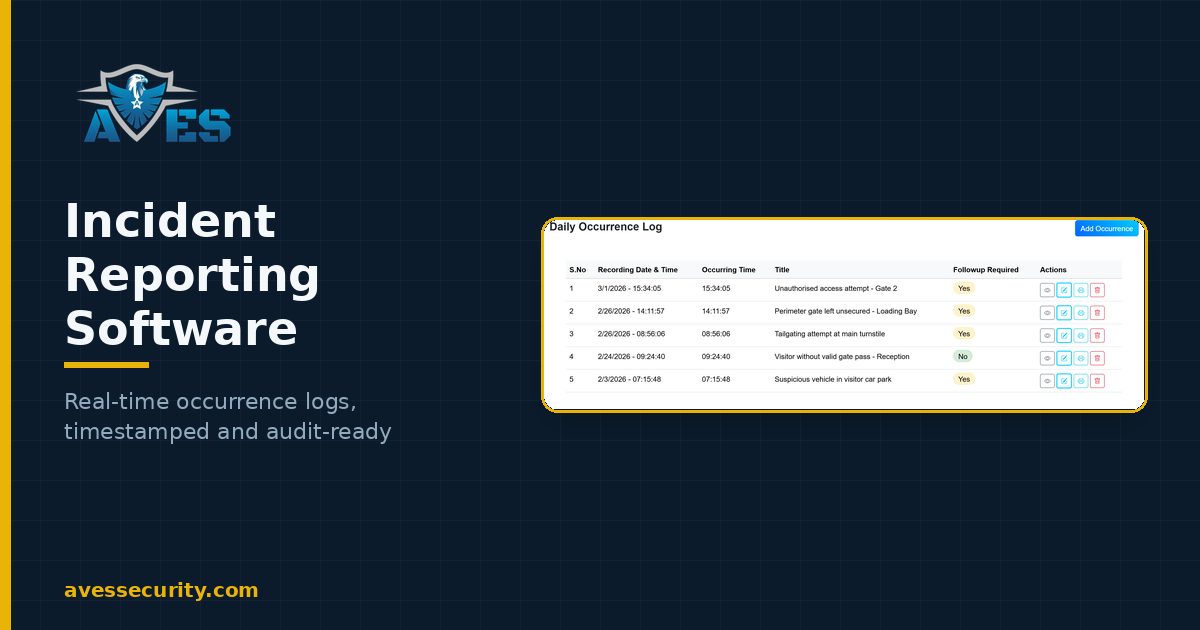
  • How Incident Reporting Software Improves Workplace Security

    How Incident Reporting Software Improves Workplace Security

    Incident reporting software lets security officers record an incident digitally from a mobile device at the moment it happens, in a standard format, and stores every report in a searchable, timestamped record. It replaces the handwritten incident book.

    Every security incident tells you something. Whether it is unauthorised access, damaged property or a near miss on the shop floor, the quality of the report decides how well the organization can respond — and whether it can prove what happened later.

    Handwritten reports rarely hold up. They arrive late, miss details, and have a habit of disappearing when you need them most. That is the gap incident reporting software is built to close.

    Why Incident Reporting Matters

    Done properly, incident reporting helps an organization:

    • Spot risks that keep recurring
    • Improve security procedures over time
    • Support investigations with solid evidence
    • Meet compliance requirements
    • Protect employees and visitors

    Done badly, it just creates paperwork nobody trusts.

    Where Manual Reporting Breaks Down

    The usual failure points are familiar to anyone who has run a security team:

    • Missing information
    • Reports submitted hours after the event
    • Paperwork that gets lost
    • Handwriting nobody can decipher
    • No central place to store any of it

    Individually these look minor. Together they quietly undermine the whole operation.

    What Incident Reporting Software Changes

    The core shift is simple: officers report from the device already in their pocket, the moment the incident happens, using a form that will not let them skip the important fields.

    From there you get:

    • Faster reporting, straight from the scene
    • A standard format for every report
    • Real-time notifications to supervisors
    • Photo and video evidence attached to the record
    • Centralised, searchable documentation
    • A complete audit trail behind every entry

    Better Information, Better Decisions

    When management sees an incident as it is logged rather than at the end of a shift, corrective action starts sooner. And once you have months of structured reports behind you, patterns start to surface — the same door, the same hour, the same weak point — which is where prevention actually begins.

    Why Choose AVES

    AVES Security Management System gives teams structured digital incident reports, complete audit trails, and a single dashboard to monitor operations across every industry and every site.

    Good incident reporting software saves time. More importantly, it means that when someone asks what happened, you can answer with evidence rather than recollection.

    Incident reporting is one part of a bigger picture. See how it fits into a full security guard management system, alongside patrols, scheduling and compliance.

    Frequently Asked Questions

    What is incident reporting software?

    Incident reporting software lets security officers record incidents digitally, in a standard format, from a mobile device at the moment they happen, and stores every report in a searchable, timestamped record.

    Does AVES offer real-time incident reporting?

    Yes. Officers file reports in real time from the AVES mobile app and supervisors are notified immediately, so corrective action can begin before the shift ends.

    Can guards attach photos or video to an incident report?

    Yes. AVES incident reports support photo and video attachments, so evidence is captured with the report rather than described from memory afterwards.

    Does incident reporting software help with compliance audits?

    Yes. Because every entry is timestamped and stored centrally, historical incident logs can be filtered and exported as audit-ready PDF reports in seconds instead of being retrieved from paper files.

    Does AVES offer a free trial or a demo?

    Yes. AVES offers both a free trial and a personalised demo.

  • 10 Signs You Need a Guard Management System

    10 Signs You Need a Guard Management System

    Security teams carry a lot of responsibility — people, property, and the day-to-day running of the business. Yet plenty of them are still doing it with paper registers, spreadsheets and manual reporting that slow everything down.

    If any of the following sound familiar, it is probably time to look at a guard management system.

    1. Incident reports land hours after the event

    By the time a handwritten report reaches a supervisor, the window to act has usually closed. Digital reporting lets an officer log the incident from their phone the moment it happens.

    2. Your registers are a filing problem

    Searching stacks of files during an audit or investigation burns hours you do not have. Digital records surface in seconds.

    3. Supervisors are still ringing around for updates

    Without a central system, supervisors fall back on phone calls and messaging apps just to find out what is going on.

    4. Nobody can prove a patrol actually happened

    If patrols are logged by hand, there is no reliable way to confirm a round was completed or spot the ones that were missed.

    5. Information is scattered across separate books

    Visitor logs here, incident reports there, key registers somewhere else. Pulling a simple report becomes a scavenger hunt.

    6. Audits take far longer than they should

    Preparing documentation is painless when the records are already digital, timestamped and searchable.

    7. You cannot see across multiple sites

    Once you are running more than one location, you need a single dashboard. Anything else is guesswork.

    8. Small mistakes keep slipping through

    Missing fields, wrong dates, handwriting nobody can read. Each one quietly weakens the record.

    9. Every officer writes reports differently

    Digital forms force a consistent structure, so every report contains what it should.

    10. Management is always looking at yesterday

    Decision-makers need live operational data, not a summary that arrives at the end of the shift.

    What a Guard Management System Actually Changes

    None of these problems are dramatic on their own. Together, they add up to a security operation that cannot answer basic questions quickly: what happened, when, who was there, and what was done about it.

    A digital platform fixes that by making accountability and reporting a by-product of the work rather than extra admin on top of it. Every activity is captured, timestamped and stored where it can be found again.

    AVES Security Management System brings incidents, inspections, patrols, visitor records and daily operations into one platform, across every industry — so supervisors stop chasing information and start acting on it.

    Modern security takes more than presence on site. It takes accurate information, in the right hands, at the right time.

    If several of these sound familiar, our complete guide to the AVES Security Guard Management System walks through exactly how each of these gaps gets closed.

  • Why Paper-Based Security Operations Fail (And How Security Guard Management Software Fixes It)

    Why Paper-Based Security Operations Fail (And How Security Guard Management Software Fixes It)

    Security guard management software is a digital platform that replaces paper registers, incident books and patrol logs. Officers record activity from a mobile device, and supervisors monitor every site from a single dashboard in real time.

    Security has changed a lot in the past decade. Threats are smarter, expectations are higher — and yet a surprising number of organizations still run their day-to-day operations on paper registers, handwritten reports and phone calls.

    It works, until it doesn’t. Paper slows everything down, invites mistakes, and makes it almost impossible to prove what actually happened.

    A modern workplace needs modern tooling. That is the case for security guard management software.

    The Problem with Paper-Based Security Operations

    Walk into most security offices and you will still find some version of this stack:

    • Visitor registers
    • Incident books
    • Patrol log books
    • Lost and found registers
    • Key issue registers
    • Paper checklists
    • Manual approvals

    None of this is unreasonable. These methods have worked for decades. But they carry costs that are easy to overlook until something goes wrong.

    Information arrives too late

    When an incident happens, the supervisor often does not hear about it until the paperwork physically lands on their desk. By then, the moment to act has usually passed.

    Old reports are hard to find

    Need a report from three months ago? That means a filing cabinet and a lost afternoon — usually right when an auditor is waiting.

    There is no live picture

    Managers cannot see what is happening across sites without ringing around. Phone calls, messaging apps and end-of-shift summaries do not add up to real-time visibility.

    Small errors cause big problems

    Handwritten reports miss details, skip signatures, or simply cannot be read. Every one of those gaps weakens an investigation later.

    Why Security Teams Are Going Digital

    Digital transformation stopped being a finance-and-HR story a while ago. Security operations are moving to cloud platforms for the same reasons every other function did: visibility, accountability, and less time lost to admin.

    Instead of a shelf of registers, everything lives in one place. Officers record activity from their phones as it happens, and supervisors watch it land on a dashboard in real time.

    How AVES Helps

    AVES Security Management System is cloud-based security guard management software built to digitise the daily grind of security operations.

    It is not about replacing your officers. It is about giving them fewer forms to fill in, and more time to do the job they were hired for.

    With AVES, teams can:

    • Record daily security activity digitally
    • Submit incident reports in real time
    • Manage inspections and checklists
    • Track patrol activity
    • Log visitor and gate pass records
    • Keep audit-ready digital records
    • Monitor multiple sites from one dashboard

    The payoff is straightforward: faster communication, cleaner records, and far better control over what is actually happening on the ground.

    Who Benefits Most?

    Any organization running a dedicated security team, across every industry:

    • Residential communities
    • Commercial buildings
    • Manufacturing facilities
    • Hotels
    • Educational institutions
    • Warehouses
    • Corporate offices
    • Industrial parks
    • Event venues

    The industry changes. The need for structured, searchable records does not.

    Compliance and Audits Get Easier

    Audit readiness is the benefit people underestimate until their first audit. Instead of digging through boxes, an authorised user pulls up historical reports, inspection records and incident logs in seconds. Compliance stops being a fire drill.

    Accountability You Can Actually Prove

    Every action in the system is logged with a name and a timestamp attached. Supervisors can see what got done, what did not, and where standards are slipping — without having to take anyone’s word for it.

    Final Thoughts

    Security is no longer just about standing at a gate. Organizations expect their security teams to deliver accurate reporting, quick communication and a clear operational picture. Paper cannot keep up with that, and the gap is widening.

    Every other department has already been through this transition. Security is next. Swap the manual registers for a centralised platform and you get better reporting accuracy, stronger accountability, and decisions based on what is actually happening rather than what someone remembered to write down.

    If your team is still running on paper, it is worth a look.

    For a full breakdown of how a security guard management system works in practice — patrol tracking, scheduling, reporting and compliance in one place — read our complete guide.