Category: Security Technology

  • Fire Watch Log: The Complete Guide to Compliance

    Fire Watch Log: The Complete Guide to Compliance

    I’ve seen fire watch logs handled two completely different ways. One kind gets pulled out during an inspection and the inspector barely glances at it before moving on. The other kind gets picked apart line by line and the facility manager standing there realizes halfway through that they’re in trouble. The difference almost never comes down to bad luck. It comes down to whether the person filling out the fire watch log understood why each line existed in the first place.

    This guide walks through everything you need to know about keeping a compliant fire watch log, not just the checklist version.

    Start with what a fire watch log is actually standing in for

    Every building with a fire suppression system is relying on automation. A sprinkler head senses heat and activates. A detector senses smoke and triggers an alarm. None of that requires a person to notice anything.

    The moment that system goes offline, even temporarily, the building loses that automatic response. A fire watch exists to replace it with a human one. A trained person walks the space, uses their senses instead of a sensor and is ready to pull an alarm or grab an extinguisher if something starts.

    A fire watch log is the only thing that proves that human backup was actually functioning during the gap. Nobody can retroactively prove they were paying attention during a window that’s already passed. The log is the substitute for that proof, which is why an accurate fire watch log matters as much as the watch itself.

    Real scenarios where a fire watch log is required

    It helps to think through actual situations rather than abstract rules.

    A restaurant’s kitchen suppression system needs annual servicing. The technician is on site for four hours doing the inspection and recharge. Depending on local code, that might fall under a window where a fire watch log isn’t required at all, or it might require one if the servicing runs long or if hot cooking equipment stays in use during the work.

    A mid-rise apartment building under construction has framing done on floors one through six, but the standpipe system for the fire department connection isn’t hooked up yet. Workers are doing electrical rough-in with power tools that create sparks near stored lumber. This is a textbook case where a fire watch log isn’t optional, according to guidance published by the National Fire Protection Association on construction and demolition fire safety.

    A hospital wing has its sprinkler system impairment shut down overnight for a valve replacement. Patients are still in adjacent rooms. This is one of the highest scrutiny situations you can be in, because occupant safety concerns stack on top of property concerns and fire marshals tend to inspect a healthcare facility’s fire watch log with a finer comb than almost any other occupancy type.

    A warehouse is hosting a private event with string lighting, a stage and folding chairs set up in a way that partially blocks two of the sprinkler zones. Even though the system is technically operational, the physical obstruction can trigger a fire watch requirement in some jurisdictions because the sprinklers can’t do their job through a blocked zone.

    Each of these looks different on the surface, but the underlying question is the same. Is there a period when the automatic protection can’t do its job and is a fire watch log being kept to document the person filling that gap?

    Getting the trigger conditions right

    This is the part people guess on most often and guessing wrong is expensive in either direction. Assume you need a fire watch log when you don’t and you’re paying for staffing that wasn’t required. Assume you don’t need one when you do and you’re sitting on a violation waiting to be discovered.

    The baseline framework in the US comes from NFPA 1, the Fire Code and NFPA 241, which covers construction and demolition specifically. Both give general guidance on impairment durations and hot work precautions that determine when a fire watch log becomes mandatory. But the actual enforcement sits with your local Authority Having Jurisdiction and that office can be stricter than the NFPA baseline. Some cities require a fire watch log the moment a system goes down, regardless of expected duration. Others give a grace window, commonly four hours, before one becomes mandatory. The U.S. Fire Administration also publishes general fire prevention guidance worth reviewing if you’re setting up a policy for the first time.

    Calling your local fire marshal’s office before starting any impairment work isn’t excessive caution. It’s the only way to know which version of the rule actually applies to your address and which fire watch log requirements apply to your specific occupancy type.

    What the entries in a fire watch log need to contain

    Break this down entry by entry rather than treating it as one lump requirement.

    Timestamp for every single round. If your required interval is 30 minutes, sixteen rounds happen across an eight-hour shift. Sixteen separate timestamps should exist in the fire watch log, not four broad time blocks.

    Signature per entry, not one signature covering the whole log. Individual accountability for each specific round matters if anything is ever questioned later.

    Named locations, specific enough that someone reading the fire watch log later could retrace the exact path. “Checked mechanical room, loading dock and east stairwell” holds up. “Checked building” does not.

    Genuine observations. This is the one people skip the most. If a round was uneventful, write down what was specifically checked and confirmed clear, not just the word “clear.” If something was slightly off, a space heater running unattended, an exit door propped open with a trash can, note it and note what was done about it.

    Equipment status per round or at reasonable intervals depending on your local requirements. Extinguishers present and accessible. Exits unobstructed. Alarm pulls undamaged and reachable.

    Communication method confirmed working. Whoever’s on watch needs an actual way to call for help immediately and that should be verified rather than assumed.

    Irregularities were logged even when nothing came of them. A pattern across several watches, the same door getting propped open every week, a storage area slowly accumulating boxes near a heat source, is often more valuable information in a fire watch log than any single clean round.

    Total watch period start and end times are tracked separately from the individual round timestamps.

    The reason for the watch is documented specifically. A permit number for hot work. A work order number for the impaired system. Vague reasons like “system down” without a reference number make the fire watch log harder to tie back to an actual authorized event.

    Supervisor sign-off at whatever interval your jurisdiction requires, commonly at the end of the shift or the end of the full watch period.

    (Related reading: see our guide on hot work permit requirements and our fire alarm system impairment checklist for related compliance steps.)

    The failure that catches people off guard

    Missing one round doesn’t just cost you that round. It tends to undermine the credibility of the entire fire watch log.

    Picture an eight-hour watch with a required 30-minute interval. If there’s a 90-minute stretch where nothing was logged, an inspector reviewing that fire watch log after an incident isn’t going to read it as “97 percent compliant.” They’re going to read it as evidence that the watch broke down at some point and that undermines the reliability of everything else on the page, even the rounds that were done correctly.

    There’s a second failure that’s less obvious but just as damaging. A fire watch log where every single entry says “all clear” in identical wording, shift after shift, starts to look manufactured rather than lived. Real buildings have small variations. Different foot traffic at different hours. A door that sticks sometimes and not others. Weather affects how a space feels. When a log shows zero variation across dozens of entries, it reads like it was filled out from memory or copied from a previous shift rather than walked in real time and that’s the exact impression that invites deeper scrutiny.

    Paper logs versus digital fire watch log tools, honestly compared

    Paper is nearly free and requires no training. The trade-off is that a paper fire watch log depends entirely on discipline. It is genuinely easy, on a slow overnight shift with nothing happening, to fill in the last three rounds from memory at 2am instead of walking them as they occur. Handwriting inconsistencies, a smudged timestamp, a page that got left in a truck instead of being filed properly, all of these are common paper-specific failures that show up during real audits.

    Digital fire watch log tools timestamp the moment an entry is submitted, which removes the ability to backfill rounds after the fact. Some tools use location verification to confirm the watch person was actually in the area they logged. The Occupational Safety and Health Administration also recommends documented monitoring procedures as part of a broader workplace fire safety program, which digital tools tend to make easier to maintain consistently.

    Neither format automatically wins in an inspector’s eyes. A meticulously kept paper fire watch log beats a careless digital one every time. But digital tools remove a lot of the human shortcuts that create problems, which is why larger facilities and construction sites increasingly default to them.

    What actually happens when a fire watch log falls short

    Fines are the most visible consequence and the range varies enormously by jurisdiction and severity, sometimes a few hundred dollars, sometimes into the thousands for repeat or serious violations.

    Construction sites face something often worse than a fine: a stop-work order. Every day of delay on an active job site can cost far more than any fine attached to the original violation.

    The insurance side tends to be the largest financial risk in the long term. If a fire happens during an impairment period and the fire watch log is missing, incomplete or clearly falsified, the insurer has a real basis to deny the claim outright, which can mean the facility absorbs the full cost of the damage with no coverage at all.

    Whoever supervised the watch can also face personal liability questions, particularly in a case involving injury, where negligence gets examined in detail by investigators and potentially in court.

    And there’s a compounding effect on future inspections. Fire marshals keep records of past violations at a given address and a facility with a documented fire watch log failure tends to get inspected more closely and more often going forward.

    Building a fire watch log system that holds up over time

    None of this requires a complicated system, just a consistent one.

    Pick one format, paper or digital and use it every time without exception. Inconsistency between shifts or between different staff members is where gaps in a fire watch log tend to open up.

    Train the actual watch person on hazard recognition, not just paperwork. Someone who doesn’t know what a fire risk looks like can produce a perfectly formatted fire watch log that misses everything that matters.

    Treat the interval requirement as fixed. If it’s 30 minutes, that stands regardless of how uneventful the shift feels.

    Retain completed fire watch logs for whatever period your local authority requires, commonly one to three years, sometimes longer for higher-risk occupancy types like healthcare or high-rise residential.

    Go back through old fire watch logs periodically instead of only filing them. Recurring small issues across multiple watches are often the earliest warning signs of a bigger hazard forming.

    (For a deeper dive into staff training requirements, see our fire safety training for facility staff guide.)

    A basic fire watch log template

    DateTimeArea CheckedObservationsEquipment StatusWatch Person Signature

    An eight-hour watch with a 30-minute interval should produce sixteen individual rows in the fire watch log, not one summary line at the end of the shift.

    Common questions people ask about fire watch logs

    Does a fire watch need to be a dedicated person or can existing staff rotate through it? This depends on your local code and the specific situation. Some jurisdictions allow existing staff to take on the role as long as they’re properly trained and it doesn’t pull them away from other safety duties. Others require a dedicated person with no other responsibilities during the watch. Check with your AHJ before assuming either way.

    How long does a fire watch log need to be kept after the watch ends? Most jurisdictions require one to three years, but certain occupancy types, especially healthcare and high-rise residential, sometimes require longer. Confirm with your local authority rather than assuming a standard timeframe applies everywhere.

    Can a fire watch log be handwritten and still hold up during an audit? Yes, as long as it’s filled out accurately and in real time. Handwritten fire watch logs are only a problem when they show signs of being filled out after the fact, inconsistent handwriting, timestamps that don’t match a plausible sequence of events or gaps that suggest rounds were skipped.

    What’s the difference between a fire watch log for an impaired system and one for hot work? An impairment fire watch log covers a period when an automatic system, sprinklers or alarms are offline. A hot work fire watch log covers the period during and often after welding, cutting or similar work, since sparks and heat from that work can ignite something nearby well after the actual work has stopped. The reason for the watch should always be documented clearly since the two situations sometimes carry different durations and monitoring requirements.

    Where this leaves you

    The rules themselves aren’t complicated once you’ve walked through them. What actually separates a fire watch log that holds up from one that falls apart under review comes down to the same handful of details every time. A real timestamp on every round. Observations that describe what was actually checked instead of a repeated phrase. Discipline to keep the intervals consistent even on the quietest shift of the month.

    Get those right and your fire watch log does its job the one time it’s actually needed. Skip them and you end up with a stack of paper that looks like compliance from a distance but won’t hold up the moment someone actually reads it closely.

    For information, visit our website https://avessecurity.com/

    FAQ

    How long does a fire watch log need to be kept after the watch ends? Most jurisdictions require one to three years, but certain occupancy types, especially healthcare and high-rise residential, sometimes require longer. Confirm with your local authority rather than assuming a standard timeframe applies everywhere.

    Can a fire watch log be handwritten and still hold up during an audit? Yes, as long as it’s filled out accurately and in real time. Handwritten fire watch logs are only a problem when they show signs of being filled out after the fact, inconsistent handwriting, timestamps that don’t match a plausible sequence of events, or gaps that suggest rounds were skipped.

    What’s the difference between a fire watch log for an impaired system versus one for hot work? An impairment fire watch log covers a period where an automatic system, sprinklers or alarms, is offline. A hot work fire watch log covers the period during and often after welding, cutting, or similar work, since sparks and heat from that work can ignite something nearby well after the actual work has stopped. The reason for the watch should always be documented clearly since the two situations sometimes carry different duration and monitoring requirements.

    How often does a fire watch log need to be filled out? Most codes require a new entry every 30 minutes, though some higher-risk occupancies or more severe impairments call for more frequent rounds, sometimes every 15 minutes. The exact interval depends on your local fire code and the nature of the hazard, so confirm with your AHJ rather than assuming 30 minutes applies universally.

    Who is legally responsible if a fire watch log is incomplete or inaccurate? Responsibility typically falls on whoever was assigned to conduct the watch, along with the supervisor or facility manager who signed off on it. In serious incidents, both parties can face liability questions, which is part of why signature and sign-off requirements exist at multiple levels of the log.

    Does a fire watch log need to be notarized or certified in any way? Generally no. A fire watch log doesn’t need notarization, but it does need to be signed by the person conducting each round and typically countersigned by a supervisor. Some jurisdictions may require the log to be available for review by the fire marshal on request, but formal certification isn’t standard practice.

    Can one person cover a fire watch for multiple buildings or zones at once? This depends entirely on local code and the size and layout of the area involved. Some jurisdictions allow one person to cover multiple adjacent zones if they can complete the required rounds within the mandated interval. Others require a dedicated watch per building or per zone, especially in higher-risk occupancies. Never assume one person can cover more ground than the interval realistically allows.

    What’s the difference between a fire watch log and a fire watch permit? A fire watch permit is often issued alongside a hot work permit and authorizes the watch to take place, sometimes required before work can even begin. A fire watch log is the ongoing record of what happened during that authorized watch period. Some jurisdictions require both, so check whether your permit process and your logging requirements are handled by the same office or separately.

    Do fire watch log requirements apply to residential buildings, or just commercial ones? Fire watch requirements can apply to residential buildings too, particularly high-rise apartments or buildings undergoing construction or major system impairment. Occupied residential buildings often face stricter scrutiny because life safety concerns are higher, so don’t assume residential properties are exempt just because they aren’t commercial or industrial.

    What should happen if a hazard is discovered during a fire watch round? The immediate priority is addressing the hazard directly, whether that means removing a combustible item, correcting a propped-open door, or in a serious case, evacuating and calling emergency services. The fire watch log should document what was found, what action was taken, and the time it happened. A hazard that gets fixed but never logged leaves no record that the watch was actually doing its job.
  • Disciplinary Action Tracking System: Chaos to Strong Proof

    Disciplinary Action Tracking System: Chaos to Strong Proof

    You already know the guard you are thinking about right now.

    Maybe it is a pattern of late arrivals that keeps almost becoming a real conversation. Maybe it is something more serious that happened last month. You are still not sure what got written down about it, or by whom.

    That uncertainty is the real problem. Not the guard, not even the incident itself. It is the fact that when something happens on a security site, the record of it usually lives in someone’s memory, a text message, or a note nobody else will ever see.

    This guide walks through what a real disciplinary action tracking system actually needs to do, where security teams get burned by relying on memory instead and how to build a process that protects your guards and your company at the same time.

    Why Security Teams Struggle With This More Than Most

    Security work has a specific problem that most industries do not deal with the same way. Your people work alone. They work overnight. They work across sites you cannot personally observe on any given shift.

    That means disciplinary issues almost never surface in the moment. They surface later, through a client complaint, an incident report, or a supervisor piecing together what happened after the fact. By the time you are having the conversation, you are already relying on memory to reconstruct something that should have been written down as it happened.

    You are not looking for a lecture about accountability. You already run a tight operation. What you actually need is a way to make sure the second incident gets treated differently than the first, because right now, without a real record, it often does not.

    What a Disciplinary Action Tracking System Is Actually For

    Most security companies think they have a handle on employee conduct until someone asks a specific question they cannot answer with dates and details. A disciplinary action tracking system exists to close exactly that gap. It is not about building a case against your guards, it is about making sure that when an incident happens, the record of it does not live in a supervisor’s memory or a text message nobody else will ever see. Without a real disciplinary action tracking system in place, the second incident often gets treated no differently than the first, simply because there is no documented history connecting the two.

    Strip away the HR language and a disciplinary action tracking system exists to answer one question honestly: if this guard’s conduct ever gets questioned by a client, an insurer, or a lawyer, can you show exactly what happened and what you did about it?

    Without a proper disciplinary action tracking system, disciplinary history lives in scattered memories, texts and private notes nobody else can see. A real disciplinary action tracking system turns that chaos into dated, defensible proof, so the second incident never gets treated like the first.

    Most companies think they can answer that question. Fewer actually can, once someone asks for dates, specifics and who was told what.

    A supervisor’s memory of “we talked to him about it” does not hold up the same way a dated, written record does. The gap between those two things is exactly where a lot of security companies get exposed, usually at the worst possible moment.

    What Belongs in a Real Disciplinary Record

    A disciplinary action tracking system that actually holds up when it matters comes down to a few non negotiable pieces.

    Record the fact, not your interpretation of it.

    “Arrived 40 minutes after shift start, no notice given” holds up. “Guard does not seem to care about the job” does not. The first is defensible. The second is an opinion that can be argued with.

    Separate a first incident from a pattern.

    A single late arrival and a third late arrival in two months are different conversations entirely. A record without dates cannot tell the difference. That distinction is often what determines whether an action is fair.

    Include the guard’s side.

    A one-sided record looks exactly like what people worry disciplinary action tracking system becomes. Documenting what the guard said in response protects everyone, including the company, if the record is ever reviewed later.

    Keep it somewhere every future reviewer can see the same history.

    A note in one supervisor’s private notebook is not a system. If the next supervisor cannot see what already happened, the pattern that should trigger a serious conversation gets missed entirely. It is the same shift away from memory that made a proper guard logbook worth building in the first place.

    Where This Usually Goes Wrong

    Here is the pattern we see most often. It rarely comes from bad intentions.

    A serious incident happens. It gets documented thoroughly, because it is serious enough that someone remembers to treat it like a misconduct documentation system should. A disciplinary action tracking system exists to close exactly that gap. The minor stuff before it, the small lapses that would have shown the pattern, never got written down anywhere. So when the serious incident finally happens, it looks like it came out of nowhere, even though it did not.

    This is not a training problem. It is a threshold problem. Most security teams only document when something feels big enough to matter, which means the smaller signals that actually predict the big thing never make it into any record at all.

    The fix is lowering that threshold, not raising your tolerance for paperwork. A verbal conversation about a minor issue is worth one dated line. It takes thirty seconds and it is the difference between a documented pattern and a memory nobody can prove.

    Being Honest About What AVES Does Today

    AVES includes a confirmed module for this, called Staff Showcause internally, grouped with Training and Performance Development Plan under what the platform calls Internal Security Team Management. It handles disciplinary action tracking system processes with documented HR records.

    Here is what we can say with confidence and what we cannot yet. Training and Performance Development Plan both live inside a Staff Development section of the AVES mobile app. Given how closely Staff Showcause is grouped with those two, it likely lives there as well, functioning as the platform’s own version of an HR disciplinary records software layer. That is a reasonable inference based on the product’s own structure, not a confirmed screen we have walked through ourselves yet.

    What we are not going to do is describe fields, buttons, or steps we have not actually verified. If your business needs a hard commitment on exactly how a disciplinary record gets created in AVES today, ask us directly rather than trusting a guess dressed up as a feature list. That kind of honesty costs us a little polish in a blog post. It is worth more than a feature description that turns out to be wrong the first time someone tries to use it.

    What This Looks Like Once It Is Working

    Six months into a real disciplinary action tracking system process, nothing about it looks dramatic. That is the point.

    Every incident, minor or serious, gets one dated line the same day it happens. Supervisors across every site can see the same history for any guard, not just the ones they personally manage. When a pattern starts forming, someone notices it before it becomes a crisis, because the record makes the pattern visible instead of leaving it scattered across memories that do not talk to each other.

    Nobody is scrambling to reconstruct what happened three months ago when a client or an insurer finally asks. The record already exists, because writing it down was never treated as optional.

    Where to Start This Week

    Pick one site. For the next two weeks, write one dated line for every disciplinary conversation, no matter how small it feels in the moment. Include what happened, what was said to the guard and what the guard said back.

    At the end of two weeks, look at what you have. You will likely see a pattern you did not fully register while it was happening in real time. That is exactly the gap a disciplinary action tracking system is meant to close. It is worth closing before the next serious incident forces the question.

    If you are managing this across several sites and supervisors, keeping every record consistent as part of a real employee conduct tracking tool can start to slip. It is worth talking to us about how AVES’s Staff Showcause module and also disciplinary action tracking software fits into that. We would rather tell you honestly what it does today than oversell it and have you find the gap yourself.

    Building a proper disciplinary action tracking system does not require complicated software or a legal team. It requires consistency: one dated line for every incident, no matter how small it feels in the moment. Security teams that put off setting up a disciplinary action tracking system usually regret it the first time a client, an insurer, or a lawyer asks for proof of what happened and what was done about it. The companies that get this right treat documentation as routine, not reactive, so that when a pattern does emerge, it is visible in the record instead of scattered across memories that were never written down.

    Want to see what a documented disciplinary record actually looks like in practice? Book a walkthrough and we’ll show you.

    CONTACT US

    Website : https://www.avessecurity.com

    Linkedin: https://www.linkedin.com/company/aves-security-management-system/

    Instagram: https://www.instagram.com/avessecurity/

    Is this really worth building out, or am I overreacting to one bad incident?

    If you have ever had to explain a termination decision after the fact, or defend one, the answer is yes. A documented process costs almost nothing to maintain and protects you the one time it actually matters.

    What if documenting everything makes my supervisors look like they are building a case against people?

    That is a fair concern. It is a framing problem, not a documentation problem. A record that notes both sides of an incident, including what the guard said, reads as fair. A record that only captures the accusation does not. The fix is in how you write it, not whether you write it.

    Do I need software for this, or can I just keep better notes?

    You can absolutely run this on paper if you are consistent about it. Software helps most once you are managing multiple supervisors across multiple sites, where “consistent” starts breaking down without a shared system everyone actually uses.

    What if my current setup already feels fine?

    It usually feels fine right up until someone asks a specific question you cannot answer with dates and details. That is the actual test, not whether anything has gone wrong yet.

  • Security Supervisor Daily Report: 5 Proven Ways to Roll Up Every Site Without Missing a Thing

    Security Supervisor Daily Report: 5 Proven Ways to Roll Up Every Site Without Missing a Thing

    By Nithish, AVES Security Management.

    Here is something nobody tells you when you move from guard to supervisor.

    The job does not get harder because of the sites. It gets harder because of the paperwork that is supposed to make sense of them.

    A guard has one shift to account for. You have five sites, twelve guards, three client contacts who want updates by 8am and a pile of daily reports that all look slightly different because nobody agreed on a format when the company started.

    The security supervisor daily report is supposed to solve that. Most of the time, it just adds to the pile. Getting the security supervisor daily report right is not about working harder; it is about knowing what the report is actually for and building it the right way from day one.


    Nobody Taught You This Part

    When you were a guard, your daily activity report covered your shift. Your post, your patrols, your incidents. Simple enough.

    The moment you became a supervisor, the expectation changed. Now you are supposed to produce a security supervisor daily report that covers everything across every site, makes sense to a client who was not there and still lands in the inbox before the next shift starts.

    What most supervisors actually do is stitch together bits from each guard’s report, add a few lines at the top and call it done. That is not a supervisor’s report. That is a compilation. And there is a real difference between the two.

    A compilation tells you what happened. A proper security supervisor daily report tells you what mattered, who is handling it and what tomorrow looks like because of it.

    According to ASIS International, documented supervisor oversight is one of the core requirements for security operations seeking compliance certification. A daily roll-up that covers exceptions, actions and outcomes is the practical version of that requirement.


    What the Security Supervisor Daily Report Is Actually For

    Before fixing the format, get clear on who reads this and what they need from it.

    Your operations manager needs to know if anything blew up overnight and whether it is handled. They do not want to read six pages to find out.

    Your client needs to know their site was covered, that anything unusual was caught and that someone is on top of it. They are not interested in what happened at your other accounts.

    You need a record that protects you if something from last Tuesday becomes a legal question next month.

    One security supervisor daily report has to serve all three purposes. That is why the format matters more than most supervisors think. You can read more about how shift-level records connect to the supervisor roll-up in our guide on the security daily activity report.


    1. Lead With What Went Wrong, Not What Went Right

    Most security supervisor daily reports are written like everything is fine until you get to the part where it was not.

    Flip that. Open with anything that broke pattern today. A guard who did not show. A checkpoint that was skipped. An incident is still open. A piece of equipment that was flagged and not yet fixed.

    If there is nothing in that list, say so in one line and move on. If there is something, it goes first. Not because you want to lead with bad news, but because that is what everyone reading the report actually needs to know.

    Burying a problem in paragraph four of the Site 3 section is how things get missed. A client who skims the security supervisor daily report, which most of them do, should not have to hunt for the part that affects them.

    The International Foundation for Protection Officers notes that supervisor reporting failures are most commonly traced back to poor prioritisation critical information buried behind routine updates rather than leading the document.


    2. Write by Site, Not by Guard

    This one sounds obvious, but almost nobody does it right.

    A well-structured security supervisor daily report is organised by site, not by individual guard. If you manage fifteen guards across five sites, you do not write fifteen summaries. You write five. One per site, covering the same four things each time: who showed up, whether patrols were completed, what incidents occurred and what is still open from a previous day.

    That structure means anyone reading the security supervisor daily report can go straight to the site they care about. It also means you stop spending time on guard-level detail that belongs in the individual DAR, not in your roll-up. For a clear picture of what belongs in a guard-level DAR versus a supervisor report, see our breakdown of shift handover checklists.

    A client managing a logistics warehouse does not need to know that the guard on the night shift at your retail account went home early. They need to know what happened at their site. Keep it that way.


    3. Every Problem Needs an Owner

    A security supervisor daily report that lists problems without saying who is fixing them is just a complaint log.

    For every open item, put one line underneath it. Who is handling it and when will it be resolved?

    That is it. No long explanation. No defensive justification. Just accountability in writing.

    When you do this consistently, two things happen. Clients stop asking follow-up questions because the answer is already there. And your own team gets used to the idea that if something is flagged in the security supervisor daily report, someone’s name goes next to it.

    That is how you stop the same problem from appearing in the report three days in a row with no movement.


    4. The Client Version Is Not the Same as Your Internal Version

    Everything goes in the internal security supervisor daily report. Guard performance issues, roster gaps, operational problems across accounts, anything you need for your own records.

    The client gets a filtered version. Their site, their coverage, their incidents and the resolution timeline for anything that affected them. Nothing about your other accounts. Nothing about internal staffing conversations.

    This is not about hiding things. It is about relevance. A client reading a security supervisor daily report, full of information about accounts they have nothing to do with, stops trusting that you know what is important.

    With AVES, this is not a manual process. The supervisor sees everything across all sites in the dashboard. The client report pulls only what is relevant to them and exports as a PDF. You are not rewriting the report. You are just choosing who sees which part of it. The same approach applies when you structure your daily briefings: internal detail stays internal, client communication stays clean.


    5. The Report Is Only as Good as the Data Going Into It

    This is the part most people do not want to hear.

    If your guards are filling in their daily reports at the end of a twelve-hour shift from memory, your security supervisor daily report is built on guesswork. Times get rounded. Small things that happened at 3am do not make it in because nobody wrote them down when they happened.

    When entries are logged in real time, patrol rounds are confirmed by checkpoint scanning, incidents are recorded on the spot with a photo and visitor passes are entered at the gate rather than remembered later, the roll-up you build from that is accurate. Not approximately accurate. Actually accurate.

    A client who asks what happened at 2am on a specific night gets a timestamped answer from a live record, not a best reconstruction from a tired guard’s memory. That difference is the entire reason digital reporting exists.

    The Security Industry Association consistently highlights real-time data capture as the single biggest driver of reporting quality in modern security operations. Use it.


    One Last Thing

    The security supervisor daily report does not have to take an hour every day. With the right structure and real-time data feeding it, ten minutes is realistic.

    What a good security supervisor daily report has to do is give the people reading it exactly what they need, without making them dig for it. That is not a complicated ask. It just requires being deliberate about what goes in, what gets left out and who the security supervisor daily report is actually written for.

    Get that right and the report stops being the part of the job you resent. It becomes the thing that proves you are on top of it.

    Q: What is a security supervisor daily report?
    A: It is the end-of-day document a supervisor puts together covering every site they are responsible for. Not a copy of the guard reports. A review of what happened, what needs attention and who is handling what. Think of it as the view from one level up.


    Q: How is it different from a guard’s daily activity report?
    A: A guard writes about one shift at one site. A supervisor writes about all shifts across all sites. Same day, completely different scope. If you are just forwarding guard reports to a client, that is not a supervisor report. That is just email forwarding.


    Q: How long should it be?
    A: Long enough to cover what matters, short enough that someone actually reads it. Most well-run operations land between one and two pages. If yours is running five or six pages every day, you are including things that do not belong in a supervisor-level document.


    Q: How often should a security supervisor daily report be submitted?
    A: Every day. Not when something happens. Not when a client asks. Every day, whether the shift was quiet or chaotic. A report that only appears when something went wrong is not a reporting system. It is damage control.


    Q: Do clients get the same report as internal management?
    A: They should not. Internal reports carry everything: staffing issues, performance notes and problems across other accounts. Clients only need to know about their site. Their coverage, their incidents, anything open that affects them. Mixing the two in one document is how you create confusion and erode trust.


    Q: What is the biggest reason supervisor reports fail?
    A: The data going into them. A report built from guard entries that were filled in from memory at the end of a twelve-hour shift is not accurate. It is the best guess written when everyone is tired. Real-time logging fixes this. Not partially, completely.


    Q: Can software actually help with this or is it just another tool to manage?
    A: Depends on the software. If it just stores reports digitally, it saves paper and not much else. If it timestamps entries as they happen, confirms patrol rounds through checkpoint scanning, and lets you generate a client-facing PDF without rewriting everything manually, it saves real time and produces a report you can actually stand behind when a client asks a hard question.

    FOR MORE INFORMATION, VISIT OUR WEBSITE: https://avessecurity.com/

    NEED FASTER UPDATES FOLLOW US ON LINKEDIN: https://www.linkedin.com/company/aves-security-management-system

  • Multi-Site Permission Boundaries Stop Costly Access Fails

    Multi-Site Permission Boundaries Stop Costly Access Fails

    Setting what each role can do is one half of access control. The other half is deciding which sites they can even see and that is a separate problem the moment you run more than a handful of locations.

    A supervisor with the right permissions can still open records for a client site they have never worked, simply because nobody drew a line around who sees which location. Permissions decide what a person can do. Boundaries decide where they can do it.

    If you have already sorted out role-based permissions and something still feels open across your growing list of sites, this is usually the missing half. Let us walk through multi-site permission boundaries.

    The Question You Are Actually Asking

    You already know the real question here. It is not “does this software have a permissions feature.”

    It is this. If a client called right now and asked who can see their site’s records, could you answer with specifics? Or would you be describing an arrangement nobody has tested?

    That question is uncomfortable because most operators cannot answer it cleanly. You built a security company. You did not build a spreadsheet of who has access to what across five clients with five different confidentiality expectations.

    This is exactly what multi-site permission boundaries exist to fix. It is a structural fix, not a trust exercise.

    Why This Feels Fine Until It Suddenly Does Not

    At one site, loose access is not a problem. You know everyone. You trust them.

    At five sites, that same trust quietly becomes a liability. A guard opens a record for a site they have never worked. Nothing malicious happened. Nobody planned it. It happened because nobody ever defined what each person should be allowed to see.

    Multi-site permission boundaries are the fix for exactly this gap.

    Without them, you are not running a security company with structured access. You are running one shared login pool and hoping nothing crosses a line it should not.

    What Most People Get Wrong Before They Even Start

    Here is the misconception that trips up almost everyone building multi-site permission boundaries for the first time.

    A permission boundary sounds like it should track where guards physically are, minute by minute, like a fitness tracker for shift work.

    It does not do that.

    Multi-site permission boundaries are about visibility, not location tracking. You draw a scope around a site or region. You give it a name and a color. You decide which users belong inside it.

    Once that scope exists, it becomes the line between what someone can see and what stays hidden from them. A guard assigned to one region sees that region. Nothing more.

    If you go looking for site data visibility software expecting a check-in and check-out tool, you will end up frustrated. Permission scoping and attendance tracking solve two different problems. Buyers confuse them constantly and it costs them time during rollout.

    How Multi-Site Permission Boundaries Actually Work

    Real multi-site permission boundaries follow one rule. Visibility follows the boundary, not the login.

    A working user-to-site assignment tool ties every user to a defined scope. That scope is enforced at the system level. A person cannot click into a site they were never assigned to, no matter how curious they get.

    Here is what the actual mechanism looks like, without the sales language.

    An admin creates a boundary. It gets a name, a color for quick visual reference, and coordinates marking its location on a map.

    Once that boundary exists, it gets assigned to a user through a simple search and select step. One user can hold more than one boundary, which matters for regional supervisors covering several sites.

    Every active assignment sits in a table you can review anytime. Username, boundary name, and a delete option the moment someone changes roles or leaves.

    That is the whole system behind permission boundary tracking. No AI buzzwords. No hidden complexity. A boundary, an assignment, and a record you can actually check.

    The Setup Question Everyone Asks First

    You are probably wondering how much time this takes to configure. That fear is legitimate. Nobody wants to lose a week to a permissions system.

    It does not take a week.

    A single boundary takes a few minutes to build. Name it, choose a color, mark the coordinates. Assigning it to a user takes even less time.

    The real work is not the setup itself. It is deciding how granular your multi-site permission boundaries should be before you start creating them.

    Get that decision right early and multi-site permission boundaries stay clean for years. Get it wrong and you will be rebuilding the structure later, which always costs more than planning it properly the first time.

    Mistakes That Quietly Undo Multi-Site Permission Boundaries

    Assigning access too broadly because it feels faster. A boundary covering far more ground than one guard needs defeats the entire point of multi-site permission boundaries. It still works technically. It also recreates the same unrestricted access you were trying to eliminate.

    Forgetting to clean up after someone leaves. Staff change roles. Contracts end. If nobody checks the assignment table during offboarding, old access sits active long after it should be gone. Multi-site permission boundaries only protect you if someone actually maintains them.

    Expecting one tool to do two different jobs. A user-to-site assignment tool is not an attendance system. It will not log check-ins or send movement alerts. Setting that expectation correctly before rollout saves a frustrating conversation later.

    What Skipping This Actually Costs You

    There is no dramatic failure story here. Manufacturing one would not be honest.

    The real cost is slow. Every day multiple sites run through one shared pool of visibility, you are trusting memory and good intentions to do a job that a system boundary should be doing instead.

    People forget things. People change positions. People leave without every permission getting cleaned up behind them. That is normal human behavior. It is exactly why permission scoping needs to exist outside anyone’s memory.

    The cost of skipping proper multi-site permission boundaries is not one catastrophic event. It is a slow erosion of your ability to answer a simple client question with confidence. Once multi-site permission boundaries are in place, that question stops being a problem.

    Do You Actually Need Multi-Site Permission Boundaries Right Now

    If you run one site with a small, tight team, you probably do not need to act on this today. Full trust across a small operation is not automatically dangerous.

    The moment you manage multiple sites, or multiple clients with different confidentiality expectations, undefined access stops being a minor gap. It becomes a structural weakness in how your business operates.

    This is the point where multi-site permission boundaries stop being optional and start being close to a requirement.

    What Changes Once Multi-Site Permission Boundaries Are Actually Working

    Nothing dramatic happens the day you finish setting this up. That is the entire point.

    Good multi-site permission boundaries are invisible during normal operations. You only notice them the moment someone tries to reach something they should not. That is when they get stopped before it becomes a real problem.

    What you gain instead is a specific, demonstrable answer the next time a client asks how you control access. When someone changes roles or leaves the company, adjusting their visibility becomes a defined action in a table, not a scramble to remember every corner of the system they could still reach.

    That is what real permission scoping looks like once it is actually working the way it should.

    The Next Step

    Permissions decide what each person can do. Boundaries decide which sites they see. You need both working together, because one without the other still leaves a client site quietly exposed to the wrong set of eyes.

    Multi-site permission boundaries are not a feature to get excited about. They are a feature you need to be quietly confident is set up correctly, for every user, across every site you manage.

    If you want to see exactly how this works on real screens instead of a sales deck, a live walkthrough shows you the actual system, boundary by boundary, assignment by assignment.

    That is usually the moment it stops feeling like software shopping and starts feeling like finally seeing the tool you already knew you needed.

    CONTACT US

    Website : https://www.avessecurity.com

    Linkedin: https://www.linkedin.com/company/aves-security-management-system/

    Instagram: https://www.instagram.com/avessecurity/

    What are multi-site permission boundaries, in plain terms?

    Think of it as a fence you draw around a site or region, not a physical fence, just a visibility one. You give it a name and a color, then decide which of your guards or supervisors are allowed to see inside it. Anyone outside that boundary simply cannot open records for that site, even if they’re logged into the same system as everyone else. It’s less about tracking people and more about deciding, ahead of time, who gets to look at what.

    Can one person be assigned to more than one site?

    Yes, and this matters more than people expect. A regional supervisor covering three or four sites isn’t stuck picking just one boundary. You can assign multiple boundaries to the same user, so their access reflects their actual role instead of forcing you to choose between too little visibility or too much.

    What happens to someone’s access when they leave the company?

    This is where most operators get caught out, not at setup, but later. Every active assignment sits in a table you can pull up anytime, showing exactly who has access to what. When someone leaves or changes roles, removing them is a quick action in that table. The real risk isn’t the system failing here, it’s nobody remembering to check the table during offboarding.

    How do I know if my company actually needs this yet?

    If you’re running one site with a small, tight-knit team, you’re probably fine without it for now. Trust works at that scale. The real turning point is the moment you’re managing multiple client sites, especially ones with different confidentiality expectations. That’s when undefined access stops being a minor inconvenience and starts being a real structural gap in how you operate.

    What changes once this is actually set up and working?

    Honestly, nothing dramatic happens on day one, and that’s kind of the point. Good permission boundaries are invisible during normal operations. The only time you really notice them is the moment someone tries to open something they shouldn’t, and they simply can’t. What you gain in the background is a real answer the next time a client asks how you control access, instead of a reassurance you’re hoping holds up.

  • Role-Based Permissions: Stop Guessing Who Sees What

    Role-Based Permissions: Stop Guessing Who Sees What

    You added a second site. Then a third. Now you run five and something has started to bother you.

    Nobody ever sat down and decided who inside your system should actually be able to do what. Everyone just has an account. You are not being paranoid for wondering if that catches up with you eventually.

    You are the person who has to answer for it if the wrong person opens, edits, or deletes something they should never have touched. That is not a fun position to be in when a client asks how you control access.

    Here is the honest answer and how role-based permissions actually work.

    Why This Starts Feeling Wrong Around Site Three

    At one site, loose access feels fine. You know everyone. You trust them. Nothing has gone wrong yet.

    At five or ten sites, across clients with different confidentiality expectations, that same setup quietly becomes a real problem. Someone edits a record they had no business touching. Nobody planned that. It happened because nobody ever defined what their role should allow in the first place.

    This is exactly what role-based permissions exist to fix. Not because your team did something wrong. Because trust alone does not scale past a certain size and you already know that or you would not be reading this.

    What This Actually Is

    Inside AVES this lives under User & Profiles, in a section called Permissions. A role there is not a vague label like “guard” or “admin.” It is a defined set of what someone can create, view, update, or delete, plus which pages they are even allowed to open.

    Assign a user to that role and they inherit exactly that access. Nothing more, nothing less. This is the foundation of real user role management, not a login screen that only pretends to draw boundaries.

    How Role Creation Actually Works

    Here is the real flow, not a simplified version of it.

    You go to Permissions inside User & Profiles and click Add New Role. Type the role name and click Create Role. The system confirms with “Role Created Successfully.”

    From there you click the edit icon on that role to open module permissions. For every module in the system, you check or uncheck Create, Update, Delete and View. There is a Select All option if a role genuinely needs full access to something, though that should be the exception, not the default.

    Next is the Page Access tab. This is separate from module permissions and it controls something different: which pages the role can open at all. You toggle access on or off for each page. Blue means granted. White means denied.

    Then there is Calendar Page Access. Each calendar item has its own User and Admin access levels, so a supervisor’s calendar view can be configured differently from what a guard sees.

    Click Save and the system confirms with “Permissions updated successfully!” The change takes effect immediately. No delay, no waiting for a sync.

    What Most People Get Wrong Here

    The most common mistake is clicking Select All out of convenience. It feels efficient in the moment. It also quietly recreates the exact unrestricted access problem that proper access control is supposed to solve.

    The second mistake is treating module permissions and Page Access as the same setting. They are not. A role-based permissions can pass one and fail the other if only one of the two tabs gets configured.

    The third is forgetting Calendar Page Access exists entirely, because it lives on its own tab. Save a role after only touching the first two and calendar access does not automatically follow along. You have to set it on purpose.

    The fourth and the one people notice too late, is deleting a role without checking who’s still assigned to it. There is no dependency warning shown in the current build.

    One Honest Quirk Worth Knowing

    Deleting a role is a trash-icon action with a confirmation prompt. That prompt currently reads “Are you sure you want to delete this user?” even though you are deleting a role, not a user.

    That is not something you did wrong. It is simply how the current screen is labeled. Knowing about it ahead of time means it will not throw you off the first time you see it and it is exactly the kind of small, honest detail that separates real product experience from a polished feature description.

    The Trade-Off Nobody Tells You About

    There is no dramatic failure story here and manufacturing one would not be honest.

    The real cost of skipping proper permission management is slow, not sudden. Every day multiple people share loosely defined access, you are relying on memory and good intentions to do a job that a defined role should be doing instead. People forget. People change positions. That is normal and it is exactly why the role structure needs to exist outside anyone’s memory.

    How to Know If You Actually Need This

    If you run one site with a small, close team, you probably do not need to act on this today. Full trust across a small operation is not automatically dangerous.

    The moment you manage multiple sites, or multiple clients with different confidentiality expectations, undefined access stops being a minor gap and starts being a structural one. This is when role-based permissions stop being a nice-to-have and start being close to a requirement.

    Ask yourself one direct question. If a client asked you right now who inside your company can see, edit, or delete their records, could you actually answer with specifics? Or would you be describing an assumption everyone has quietly agreed not to test?

    That question usually tells you everything you need to know about whether your current setup is real access control or just an arrangement nobody has stress-tested yet.

    What Changes After You Set This Up

    Nothing dramatic happens the day you finish configuring roles. That is the point.

    Good role-based permissions are invisible during normal operations. You only notice them the moment someone tries to do something they should not be able to do and gets stopped before it becomes a problem.

    What you gain instead is a specific, demonstrable answer the next time someone asks how access is controlled. When a person changes roles or leaves the company, adjusting or removing their access becomes a defined action on a role, not a scramble to remember every corner of the system they could still reach. That is what real user role-based permissions looks like once it is actually working.

    Where This Leaves You

    You did not start a security company to build a permissions matrix. You started it to protect sites and earn the trust of clients who are paying you to take that seriously.

    Role-based permissions are not a feature to get excited about. They are a feature you need to be quietly confident is set up correctly, for every role, across every site you manage.

    If you want to see the Role-based permissions page and its three tabs in action, a live walkthrough shows you the real screens. Not a sales deck.

    CONTACT US

    Website : https://www.avessecurity.com

    Linkedin: https://www.linkedin.com/company/aves-security-management-system/

    Instagram: https://www.instagram.com/avessecurity/

    Why does loose access control become a problem as I add more sites?

    At one site, trust-based access feels fine because you know everyone. But across five or ten sites with different client confidentiality expectations, undefined access quietly becomes a structural risk someone can end up editing or viewing records they had no business touching, simply because no one ever defined what their role should allow.

    What does a “role” actually control?

    A role is a defined set of what a user can Create, View, Update, or Delete, plus which pages they’re allowed to open. Assigning a user to a role gives them exactly that access nothing more, nothing less.

    Do changes actually apply right away?

    Yes. Save gives you “Permissions updated successfully!” and it’s live immediately. No sync delay, nothing to wait on.

    Do I even need to bother with this if I’ve only got one site?

    If it’s one site and a tight, trusted team, probably not urgent. But the second you’re juggling multiple sites or clients with different confidentiality expectations, it stops being optional. Good gut-check question: if a client asked you right now who can see, edit, or delete their records, could you actually answer that, or would you just be describing an assumption nobody’s ever tested?

    Is Page Access the same thing as module permissions?

    No and this trips people up. Two different tabs, two different jobs. Module permissions decide what someone can do inside a module. Page Access decides whether they can even open the page in the first place. Set one and skip the other and you’ll end up with a role that half-works.

    What’s the mistake almost everyone makes early on?

    Hitting Select All because it’s faster. It feels harmless in the moment, but that’s basically rebuilding the same free-for-all access problem you were trying to get away from. Save it for the rare role that genuinely needs everything.

  • End of Shift, Start of Proof: The Security Daily Activity Report

    End of Shift, Start of Proof: The Security Daily Activity Report

    You already know the feeling

    A client calls asking what happened at the loading dock last Tuesday night.

    You pull the daily activity report. The handwriting is rushed. The times look rounded. Half the details you need were never written down at all.

    Now you are reconstructing a shift from memory, three weeks late, with a client waiting on the other end of the phone.

    If you run a security company or manage guard operations, this is not a hypothetical. It is the exact moment that separates teams who look competent under pressure from teams who look like they are guessing.

    This guide exists to fix that moment before it happens again.

    What a security daily activity report actually is

    A daily activity report, often shortened to DAR, is the document a guard completes at the end of a shift covering everything that happened on site.

    It is different from the two documents people usually confuse it with.

    • Daily briefing happens before the shift starts. It is forward looking. What to watch for today.
    • Occurrence log or incident report captures a specific event the moment it happens. It is narrow by design.
    • Daily activity report is written at the end of the shift and covers the whole picture. Patrols completed. Visitor and gate activity. Equipment condition. Incidents referenced. Site status at handover.

    A shift with zero incidents still needs a complete daily activity report, because the report is not only for when something goes wrong. It is the record that nothing did, which is exactly what a paying client wants confirmed.

    Why most daily activity reports fail before they are even read

    Here is what almost nobody tells you when you start standardizing this process.

    The failure point is rarely the format of the form. It is when the form gets filled out.

    A guard who writes the daily activity report from memory at the end of a twelve hour shift is not lying. They are compressing eight hours of small details into ten rushed minutes and details get smoothed over without anyone intending it.

    That creates three problems you will eventually run into if you have not already.

    Problem one: inconsistent handwriting and formatting. A daily activity report from one guard is unreadable next to a daily activity report from another. The moment a client asks you to compare coverage across a week, you are translating five different handwriting styles into one story.

    Problem two: no proof of when it was written. A supervisor cannot tell if a report was logged in real time or backfilled the next morning right before you asked for it.

    Problem three: a missed round is invisible until it matters. If a patrol never happened and nobody wrote it down, the paper looks identical to a shift where everything went right.

    None of this means the daily activity report is a broken idea. It means paper was never built to prove anything. It was only ever built to record.

    The five sections every security daily activity report actually needs

    Strip away the site specific extras and a usable daily activity report breaks into five parts, in the order a shift naturally happens.

    1. Shift and post details

    Guard name, date, shift hours, post or account assigned. This ties the report to a specific roster entry so nobody has to guess who was where.

    2. Equipment and inventory

    Radio, keys, access cards issued and returned. Vehicle condition if applicable. Any equipment fault noted at the start or end of the shift.

    3. Activity timeline

    Patrols run and when. Gate and visitor movements. Deliveries received. Logged as it happens, not reconstructed at the end.

    4. Incidents and exceptions

    A reference to anything already logged in the incident report or occurrence log during the shift, so the two documents tell the same story instead of two different ones.

    5. Handover status

    Site condition at the end of shift. Anything flagged for the incoming guard. Keys and equipment counted back in.

    If you are building your own format from scratch, resist the urge to make it exhaustive. A one page report that gets filled in consistently every single time beats a three page one that gets rushed in the last ten minutes of a shift.

    The mistake most security companies make here

    Most teams try to fix the daily activity report problem by making the checklist stricter. More boxes. More signatures. More rules about penmanship.

    That almost never works. Here is the part nobody tells you upfront.

    A stricter form does not change when a guard sits down to fill it out. It just makes the rushed version longer.

    The actual fix is changing where the information comes from in the first place.

    If your patrols are already being logged with a timestamp. If your incident reports already capture photos and video the moment something happens. If your shift handover is already recorded digitally. Then the daily activity report stops being something a guard writes from memory. It becomes something that gets assembled from data that already exists.

    That is the shift worth making. It is a smaller change than most operators expect.

    What this looks like in practice

    This is where AVES fits into the daily activity report picture. I want to be direct about what it does and does not do, because vague claims help nobody.

    AVES is cloud based security management software used across residential, corporate, healthcare, manufacturing and warehousing sites. Guards use the mobile app to log activity as the shift happens rather than at the end of it.

    The checklist module timestamps every entry automatically, so a completed round and a skipped one no longer look the same on paper.

    The reports module lets guards submit incident reports in real time with photos and video attached, instead of a written description pieced together hours later.

    The shift module handles shift handover and shift requests digitally, so the handover step, the one guards skip first under pressure, has a record either way.

    Every action is timestamped and stored, which is what makes an audit ready PDF report possible on demand instead of a scramble through binders when a client calls.

    Worth knowing before you commit to any platform, including this one. AVES offers limited offline capability, meaning core field actions sync once connectivity returns, but full functionality needs an internet connection. If your sites have serious connectivity gaps, ask any vendor directly how they handle that, not just AVES.

    That kind of honesty is exactly what should decide which platform you trust, not which one has the flashiest demo.

    The real cost of getting this wrong

    Consider the actual math for a moment.

    A mid sized security team spends roughly eight to twelve hours a week on paperwork tasks that a proper system finishes in minutes, based on what similar operators report. At a modest hourly rate, that is real money spent shuffling paper instead of managing risk.

    Now add the cost you cannot put a number on. The client who loses confidence in your security daily activity report because your reporting looked disorganized during an audit. The insurance claim that gets questioned because your incident timeline does not match your daily activity report.

    Paper feels free until the day it costs you a contract.

    How to actually start

    You do not need to overhaul your entire operation this week.

    Start with the five sections above and pick one week to run them consistently across every guard, on paper or digitally, whichever you are using now.

    Then look for the gaps. Missing timestamps. Inconsistent handwriting. Reports that read suspiciously similar every single day, which usually means they are being filled in from habit rather than from what actually happened.

    Once you see exactly where paper is failing you, the decision to move to a digital system stops being a leap of faith. It becomes the obvious next step, because you will already know precisely what problem you are solving.

    If you want to see how AVES handles daily activity reporting alongside patrols, incidents and shift handover in one platform, you can request a demo at avessecurity.com and walk through it with your own sites in mind.

    Frequently Asked Questions

    Does every shift need a full security daily activity report, even a quiet one?

    Yes. A quiet shift with a complete daily activity report is proof nothing went wrong. A quiet shift with no daily activity report is just an assumption.

    How is a security daily activity report different from an occurrence log?

    The occurrence log only captures specific incidents as they happen. The daily activity report covers the entire shift, including the fact that nothing unusual occurred. It should reference any occurrence log entries rather than repeat them.

    Who should read the security daily activity report besides the supervisor?

    Clients often want daily activity reports on a weekly or monthly basis for their own compliance records. Insurers may request them directly after an incident. Treat every daily activity report as something a stranger might eventually read with no other context.

    What is the biggest mistake first time operators make with daily activity reports?

    Making the form longer instead of fixing when it gets filled out. A guard rushing through a five page report at the end of a twelve hour shift will produce worse data than a guard filling out one page as the shift happens.

    CONTACT US

    Website : https://www.avessecurity.com

    Linkedin: https://www.linkedin.com/company/aves-security-management-system/

    Instagram: https://www.instagram.com/avessecurity/

  • Security Guard SOP: Stop Writing Useless Procedures That Every Guard Ignores

    Security Guard SOP: Stop Writing Useless Procedures That Every Guard Ignores

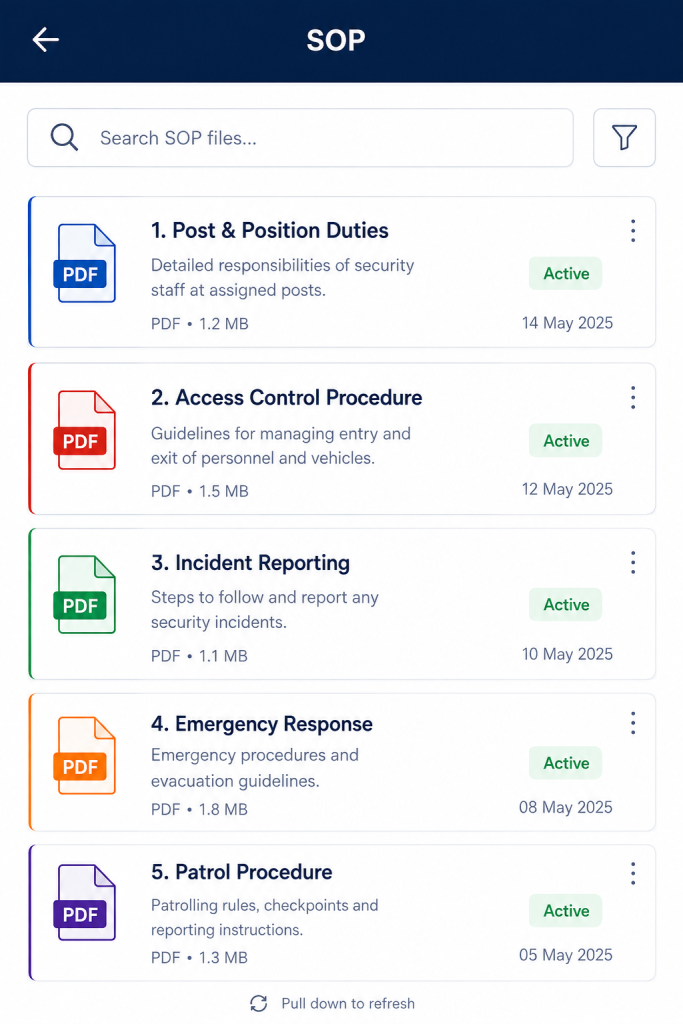
    Most security companies have something they call a security guard SOP. A folder somewhere. A printed document from three years ago. A WhatsApp message that became the unofficial policy for handling late deliveries.

    None of that is a real security guard SOP. And the difference shows up at the worst possible time, usually at 2am when something goes wrong and nobody knows whose call it is to make.

    Writing a proper security guard SOP is one of the most practical things a security operation can do. Not because auditors ask for it, but because it’s the only thing that creates consistent behaviour across guards, sites and shifts.

    SOP, Post Orders, Duty Roster: They Are Not the Same Thing

    This confusion causes real problems, so it’s worth getting it straight before anything else.

    A security guard SOP is the company-wide rulebook. It covers how your operation handles visitor access, vehicle movement, material entry and exit, emergency response and escalation. It applies to every guard, at every site, regardless of who the client is.

    According to the ASIS International Security Management Standards, a well-documented SOP is a foundational requirement for any professional security operation seeking to demonstrate compliance and operational consistency.

    Post orders are site-specific. They tell a guard what to do at this particular location, which entrance to use, who to call when the client’s alarm triggers and where to park the response vehicle. Post orders sit underneath the SOP, not beside it. We cover this distinction in detail in our guide on security post orders.

    A duty roster is just scheduling who is on post, when and where.

    If your guards are making judgment calls about visitor handling differently at each site, that’s a missing security guard SOP, not a post orders problem. The SOP is what creates consistency across sites. Post orders handle the exceptions and specifics.

    Why Most Security Guard SOPs Don’t Get Used

    Walk into most security operations and ask a guard where the SOP is. Watch what happens.

    The honest answer is usually “I don’t know” or “I think it’s in the office.” That’s not a staffing problem. It’s a document problem.

    Security guard SOPs fail in practice for a few predictable reasons.

    They’re written for auditors, not guards. Long paragraphs, legal language, clause references. A guard dealing with a confrontational visitor at 11pm is not reading a policy document.

    They cover everything except what actually happens. Three pages on emergency evacuation procedures. Nothing on what to do when a contractor shows up without a pass and gets argumentative about it.

    Nobody trained anyone on them. The document exists. The sign-off sheet exists. The actual understanding of what’s in it mostly does not.

    A security guard SOP that nobody reads is just a liability document. It proves you wrote something. It doesn’t prove your operation runs by it.

    Industry guidance from bodies like the International Foundation for Protection Officers (IFPO) consistently stresses that written procedures only work when guards can actually understand and apply them. In practice, shorter and clearer documents get followed. Long, technical ones get filed and forgotten.

    What a Working Security Guard SOP Actually Covers

    A functional security guard SOP is shorter than most people write and more specific than most people expect. Here’s what it needs to cover.

    Visitor and personnel access. Who gets in, under what conditions, what ID is required, who can authorise entry for someone not on the approved list and what happens when someone refuses to follow the process? Cross-reference this with your visitor pass tracking process to close the loop on unreturned badges.

    Vehicle and material movement. How vehicles enter and exit, what documentation is required for materials leaving the site, who approves it and what a guard does when the paperwork is missing or doesn’t match.

    Incident response and escalation. What counts as an incident, how it gets reported, who gets called first and at what point the client or emergency services enter the chain. This is the section that matters most during anything serious and it’s the one most often left vague. Your security audit checklist will confirm whether this section holds up under inspection.

    Emergency procedures. Fire, medical, security breach, power failure. Separate from incident response, these are the situations where guards need to act before they can think, which means the procedure needs to be memorised, not referenced.

    Communication standards. What gets logged, in what format, how quickly. Whether guards use the platform, a radio, a phone call or all three depends on your operation, but the security guard SOP decides it, not individual guards.

    How to Write a Security Guard SOP Guards Will Actually Read

    Short sentences. Direct language. No paragraph where a numbered list will do.

    Write it from the guard’s position, not the manager’s. “When a visitor arrives without a pre-approved pass, do the following” works. “In situations wherein a visitor presents at the access control point without prior authorisation having been obtained” does not.

    Test every section against one question: if a guard read only this page and nothing else, would they know what to do? If the answer is no, the section isn’t finished.

    Keep the main security guard SOP to the essentials. If you’re writing more than 10-12 pages, you’re probably including things that belong in site-specific post orders instead. A guard should be able to read the SOP in one sitting and come away knowing how the operation works.

    Put a version date on it and review it at least once a year. An SOP that nobody has touched since the company started is not a living document. It’s a record of how things worked back then.

    Regular reviews matter most in operations with high staff turnover, which is common across the security industry. A procedure written for last year’s team is not the procedure this year’s guards need.

    Where AVES Fits Into Your Security Guard SOP

    A security guard SOP defines the rules. AVES is how you prove the rules are being followed.

    When AVES is configured to match your security guard SOP visitor pass workflows, reflecting your access policy; incident reports capturing the escalation chain your SOP defines; patrol checkpoint sequences matching your coverage requirements the platform stops being just a tool and starts being evidence that the operation runs the way it’s supposed to.

    Clients asking for proof of compliance get audit-ready reports pulled from real, timestamped activity. Guards working across multiple sites follow the same procedures because the platform enforces them, not because someone hopes they remembered the training session. You can also tie SOP compliance directly into your daily briefing process so guards are reminded of key procedures at the start of every shift.

    The SOP tells your team what good looks like. AVES shows your clients that it happened.

    One Thing to Do Before Writing Anything

    Before you start drafting, walk one shift at one of your sites and write down every decision a guard makes that isn’t covered by a written rule.

    How did they handle the contractor who arrived after hours? What did they do with the delivery that had the wrong paperwork? Who did they call when the client’s contact number went to voicemail?

    Those gaps are your security guard SOP. Start there, not with a template you found online.

    The best security guard SOP isn’t the most comprehensive one. It’s the one your guards actually know.

    FAQ 1
    Q: What is a security guard SOP?
    A: A security guard SOP (Standard Operating Procedure) is a company-wide rulebook that defines how guards handle visitor access, vehicle movement, incident response and emergency situations. It applies to every guard at every site, regardless of the client.


    FAQ 2
    Q: What is the difference between a security guard SOP and post orders?
    A: A security guard SOP covers company-wide procedures that apply across all sites. Post orders are site-specific instructions for one particular location. The SOP is the rulebook. Post orders are the site-level exceptions underneath them.


    FAQ 3
    Q: How long should a security guard SOP be?
    A: A working security guard SOP should be no longer than 10 to 12 pages. Anything longer usually includes content that belongs in site-specific post orders. Guards need to read and remember it in one sitting not file it away unread.


    FAQ 4
    Q: What should a security guard SOP include?
    A: A security guard SOP should cover visitor and personnel access, vehicle and material movement, incident response and escalation, emergency procedures and communication standards. These five areas cover the decisions guards make every single shift.


    FAQ 5
    Q: Why do most security guard SOPs fail?
    A: Most security guard SOPs fail because they are written for auditors, not guards. They use legal language, cover unlikely scenarios and skip the situations guards actually face. If a guard cannot read it once and know what to do, the SOP needs rewriting.


    FAQ 6
    Q: How often should a security guard SOP be reviewed?
    A: A security guard SOP should be reviewed at least once a year. It should also be updated whenever there is significant staff turnover, a new client site is added or an incident reveals a gap in existing procedures.


    FAQ 7
    Q: Is a security guard SOP the same as a duty roster?
    A: No. A security guard SOP defines how guards carry out their duties. A duty roster is simply a schedule showing who is on post, when and where. The two serve completely different purposes.


    FAQ 8
    Q: How does software help enforce a security guard’s SOP?
    A: Security management software like AVES enforces SOP compliance by timestamping patrol rounds, logging visitor pass activity, capturing incident reports in real time and generating audit-ready PDFs. Instead of hoping guards remember the SOP, the platform builds it into every shift.

    FOR MORE DETAILS, VISIT OUR WEBSITE: https://avessecurity.com/https://avessecurity.com/

    VISIT OUR LINKEDIN PAGE FOR FUTURE UPDATES:https://www.linkedin.com/company/aves-security-management-system

  • Stop Missing Parcels: Parcel Tracking Software For Security

    Stop Missing Parcels: Parcel Tracking Software For Security

    Something happened last week and you still do not have a straight answer.

    A parcel came in. A guard signed for it. Now the vendor says it was never delivered. Nobody can prove otherwise.

    If that sounds familiar, you already understand why parcel tracking software for security exists. It is why so many sites are finally moving away from the clipboard. You are not looking for a nice-to-have feature. You are looking for proof, because proof is what stops a dispute from becoming your problem.

    Why This Keeps Happening

    Most sites still handle deliveries the same way they did fifteen years ago. A clipboard by the front desk. A signature that nobody can read. A note scribbled in a margin.

    That system worked when nobody questioned it. It stops working the moment a client, a vendor, or a resident asks where their package went and expects a real answer.

    This is exactly the gap that parcel tracking software for security was built to close. Not to replace your guards, but to give them a system that remembers what a busy shift cannot.

    Without parcel tracking software for security, every delivery dispute becomes a memory contest instead of a records check. Memory rarely holds up well under pressure.

    What You Are Actually Trying to Solve

    You are not trying to buy software for the sake of having software. You are trying to solve a specific fear.

    The fear that one day a client will ask “what happened to this delivery” and your only answer will be a shrug.

    Delivery logging software for security exists to remove that fear. It turns a guard’s memory into a timestamped record that holds up when someone pushes back.

    Here is what most teams do not realize until it is too late. The problem is rarely the missing package itself. The problem is not having any way to prove what happened to it. A five dollar item and a five thousand dollar item cause the exact same headache if there is no record either way, which is exactly why parcel tracking software for security treats every package the same, no matter how small.

    The Honest Trade-Off Nobody Talks About

    Adding any new system means asking your guards to do one more thing during a shift that is already full. That is a real cost. Pretending otherwise would not be honest.

    But compare that cost to the alternative. Right now, every dispute your team faces gets resolved by whoever argues more convincingly, not by what actually happened. Courier tracking for site security exists specifically to take that guesswork out of the equation.

    The teams who get the most value from parcel tracking software for security are not the ones with the fanciest setup. They are the ones who commit to logging every parcel, not just the ones that look important.

    Skipping small items feels harmless in the moment. It is exactly how the gap that parcel tracking software for security is meant to close quietly reopens.

    Three Moments Every Parcel Passes Through

    Whatever system you choose, three moments matter more than anything else.

    Receipt:

    The exact moment a package arrives and a guard accepts it on the site’s behalf.

    Storage:

    Where that package sits and who is responsible for it while it waits for pickup.

    Handover:

    Proof of exactly who received it and when.

    Miss any one of these three moments and you are back to relying on memory. Cover all three and you have parcel receipt and handover records that settle a dispute in minutes instead of days.

    This is the core promise behind parcel tracking software for security. It is not about adding paperwork. It is about making sure receipt, storage and handover are never left to a single person’s recollection.

    What Beginners Get Wrong

    The most common mistake is treating this as an all-or-nothing decision. Teams assume they need parcel tracking software for security to run perfectly from day one or the whole thing is pointless.

    That is not true. It is not how good security operations actually work. Start by logging the deliveries you are already worried about, then expand from there once your guards are comfortable with the habit.

    The second mistake is assuming a verbal handoff is good enough for small items. It is not. The value of chain of custody security guard software comes from consistency, not from judgment calls about what counts as important enough to log.

    A third mistake, often overlooked, is choosing a general delivery app instead of parcel tracking software for security built specifically around how a guard’s shift actually works. General tools are not designed around handover confirmation or site-level custody. That gap shows up exactly when you need it least.

    Why This Protects You, Not Just the Client

    It is easy to think of parcel logging as something you do for the client’s peace of mind. That is only half the picture.

    This is the part of parcel tracking software for security that clients rarely think about. A documented handover also protects your own team. If a package genuinely was handed off correctly, a clean record proves it. Without one, your guards are defending themselves with nothing but their word against a client’s frustration.

    This is the quiet reason experienced security operators take delivery logging software for security seriously long before a client ever demands it. It protects the company as much as it protects the customer.

    Think about the last time a dispute dragged on for days because nobody could point to a record. Parcel tracking software for security exists to make that specific scenario disappear.

    What Good Actually Looks Like

    You do not need a complicated rollout of parcel tracking software for security to get this right. You need consistency.

    Every parcel gets logged the same way, every time, regardless of size or apparent importance. Every handover gets confirmed, not assumed. Every record stays searchable, so a question from three weeks ago can be answered in under a minute instead of an afternoon of guessing.

    That is what parcel tracking software for security is actually supposed to deliver. Not complexity. Clarity, at the exact moment someone asks a hard question.

    Good parcel tracking software for security should feel invisible on a normal day and indispensable on the one day something goes wrong. If it only helps during a crisis, it was not built for daily use. Your guards will quietly stop using it.

    How This Fits Into the Bigger Picture

    Parcel tracking software for security rarely does its job in isolation. It sits alongside gate movement, supplier deliveries and visitor access, all of which touch the same basic question. Who came in, what did they bring and what happened to it.

    If your site already tracks vehicle and material movement at the gate, adding parcel receipt and handover records is a natural next step, not a separate project. The two work together to close the same liability gap from different angles.

    Parcel tracking software for security is strongest when it connects to the rest of your site’s records rather than sitting off on its own as a disconnected log nobody remembers to check.

    Making the Decision Without the Guesswork

    You do not need to overhaul your entire operation this week to benefit from parcel tracking software for security. You need one honest look at your current process and one honest question.

    If a client asked you right now where a specific delivery from two weeks ago ended up, could you answer in five minutes?

    If the answer is no, that is not a failure. It is simply the gap that courier tracking for site security is designed to close. It is a gap every growing security team eventually has to deal with.

    Ask the same question a different way. If a dispute landed on your desk tomorrow, would parcel tracking software for security already have the answer waiting, or would you be starting from zero?

    The Next Step

    You already know the cost of getting this wrong. A disputed delivery, an unhappy client and a guard left defending a decision they cannot fully explain.

    Closing that gap does not require a complicated system. It requires parcel tracking software for security built specifically for how security teams actually operate, not a generic delivery app repurposed for the job.

    If that sounds like the missing piece in your current setup, it is worth seeing how parcel tracking software for security works before your next disputed delivery forces the question.

    A missing parcel is a five-minute problem only if you logged it. Without proof, it’s a week of finger-pointing nobody wins.

    See how parcel tracking software for security closes the gap – before your next disputed delivery does it for you. Book a walkthrough

    CONTACT US

    Website : https://www.avessecurity.com

    Linkedin: https://www.linkedin.com/company/aves-security-management-system/

    Instagram: https://www.instagram.com/avessecurity/

    What is parcel tracking software for security, really?

    It’s basically a way to stop relying on memory. Someone signs for a package, someone puts it somewhere, someone hands it off eventually and this just writes all of that down as it happens instead of hoping everyone remembers later.

    Isn’t a sign-in sheet basically the same thing?

    Not really, no. A sheet tells you a box showed up. It doesn’t tell you where it went after that or who actually handed it over. That gap is where most disputes live.

    Does this replace the paper log completely, or run alongside it?

    Replace it. There’s no reason to keep two systems going. The paper one just ends up in a drawer nobody checks anyway.

    Who’s this really protecting, us or the client?

    Both, honestly. The client gets peace of mind that their delivery was handled right. Your team gets something to point to when someone comes in hot with a complaint that isn’t actually your fault.

  • Unplanned Events, Real Risk: Event Security Coordination

    Unplanned Events, Real Risk: Event Security Coordination

    You get the call on a Tuesday. A VIP is coming next week. Or someone books a private function for Saturday night, out of nowhere. Or a client tacks a gathering onto the calendar nobody planned for.

    There’s a specific stomach drop that comes with that call. Your regular schedule wasn’t built for this. You know it immediately.

    If you’ve felt that particular mix of pressure and “wait, how do we actually handle this,” you already get why event security coordination matters more than most people admit, at least until something goes wrong once.

    The Fear Nobody Says Out Loud

    Here’s the part nobody puts in the client proposal. It’s not really the event you’re afraid of. It’s what happens if you get it wrong while a client is watching closely.

    A scuffle at the door. A VIP standing around with no clear escort because nobody claimed that job. A parking mess that turns the entrance into chaos before the event starts.

    None of that is really about the event itself. It’s about you and your company. That’s the actual weight event security coordination carries, even though on paper it sounds like nothing more than a scheduling task.

    Why Your Normal Setup Falls Apart Here

    Day to day, your operation runs on routine. Fixed patrols. Predictable shifts. Guards who know the site so well they don’t think about it anymore.

    An event blows all of that up. More people you don’t recognize. A schedule that looks nothing like a normal Tuesday. A client whose reputation is tangled up with yours for a few hours whether either of you likes it or not.

    Without event security coordination, teams end up improvising on the fly. Someone scrambles for extra guards at the last minute. Nobody’s totally sure who’s actually responsible for the VIP’s arrival. The parking plan, if you can call it that, lives buried in a group text somewhere.

    What You’re Probably Wondering, If This Is New To You

    If you’ve never had to coordinate security for an event before, here’s the honest question underneath everything else. Can you pull this off without something slipping through?

    Fair question. Most teams learn event security coordination the hard way, usually after one event where a detail nobody thought to plan for showed up unannounced.

    The good news is the details that matter aren’t some mystery. They show up the same way basically every time. Once you know what they are, this stops feeling like guesswork.

    Not Every Event Needs the Same Level of Fuss

    Something most guides skip. Treating a private birthday party the same as a VIP visit wastes effort exactly where you can’t afford to waste it.

    Event security coordination works better when events get sorted by risk first. A VIP event usually needs its own dedicated incharge and tighter coordination, which is really what VIP event security planning comes down to at its core. A private function might just need standard coverage and a confirmed headcount. Private function security planning rarely needs to go further than that. A regular event sits somewhere between the two.

    Sorting things this way is really the whole trick behind good event security coordination. You spend your best planning energy on what actually needs it, instead of applying the same heavy process to every booking.

    The Four Things That Actually Matter

    You don’t need a complicated system for this. You need four things nailed down for every event security coordination effort, no exceptions.

    Who’s in charge. A named security incharge. One person, accountable start to finish. Not a rotating cast of guards with no clear owner. Getting the security incharge assignment right saves you from a dozen small confusions later.

    Roughly how many people. Even a rough headcount changes staffing, parking allocation and entry point coverage.

    Where the cars go. Event parking isn’t the same as daily traffic. Sort it out ahead of time or deal with chaos at the gate.

    What guards need to know first. A briefing built for this specific event, not a generic one, so your team understands what’s different before it starts. Solid event safety briefing management separates a guard who’s ready from one who’s just showing up.

    Skip more than one of these and event security coordination quietly falls apart right when it matters most.

    What Beginners Get Wrong (And Honestly, It’s Not Their Fault)

    The most common mistake is treating event planning like an extension of the regular schedule instead of its own thing. A guard pulled off routine patrol and dropped into an unfamiliar VIP event with no real briefing is set up to miss things.

    That’s not a skill problem. It’s a planning gap. Event security coordination fails quietly when it gets bolted onto the existing roster as an afterthought instead of getting treated like its own step.

    Mistake two, sneaky one this, is letting event details scatter across messages, emails and random phone calls. By the time the event starts, nobody has the full picture.

    There’s a third one that trips up even experienced teams. Short notice events get treated as lower stakes because there’s less time to plan. Backwards, actually. Short notice makes event security coordination more important, not less.

    The Trade-Off Nobody Loves Talking About

    Planning ahead costs time your team doesn’t always have, especially when notice is short. That’s a real cost.

    But weigh it against the alternative. A poorly coordinated event creates problems that take way longer to clean up afterward, both logistically and with the client relationship itself. Event security coordination that happens even a day in advance beats zero planning every single time.

    The teams that get the most out of this aren’t running some elaborate process. They’re the ones who consistently nail the basics, incharge, headcount, parking, briefing, every time, no matter how small the event looks.

    Why This Protects the Relationship, Not Just the Event

    Clients remember how an event felt, not just whether nothing blew up. That distinction matters more than most security teams give it credit for.

    A team with a parking plan ready, briefed staff who know their role and one clear person running the show looks like a company that’s got this handled. A team scrambling through logistics on the day looks like the opposite, even when nothing goes wrong.

    Event security coordination is what turns “we handled it” into “they really had it handled.” Clients notice that difference even when they can’t quite explain why.

    How This Connects To Everything Else You’re Already Doing

    Events don’t happen in a vacuum away from the rest of your security operation. They tie into shift scheduling, patrol coverage and guest access all at once.

    Event security coordination works best as something your team checks alongside the regular schedule, not as a separate silo where an event can quietly overlap with duties nobody remembered to reroute. Keeping it connected is what actually makes event security coordination reliable week over week.

    Making The Call Without Guessing

    You don’t need to overhaul anything this week to get this right. Just one habit. Capture the basics for every event before it starts instead of piecing them together once guests are already walking through the door.

    Ask yourself something simple about your next booked event. If someone asked right now who’s responsible, roughly how many guests to expect and whether guards have actually been briefed, could you answer without hesitating?

    If the honest answer is no, that’s the exact gap event security coordination is meant to close. It’s a small habit, but it pays for itself the first time a client asks a hard question mid-event.

    The Next Step

    You already know what’s riding on this. A client’s trust. A guard’s ability to do their job well. Your company’s reputation next time someone books an event.

    Closing that gap doesn’t mean reinventing how you run your operation. It means building event security coordination around how events actually unfold, not stretching a generic scheduling tool to cover a job it was never built for. That’s all good event security coordination has ever needed to be.

    If your current process still runs on memory and last-minute texts, event security coordination is worth fixing before the next VIP visit forces the question for you.

    No coordination, no proof it was ever handled well.See how event security coordination keeps every detail covered. Book a walkthrough

    CONTACT US

    Website : https://www.avessecurity.com

    Linkedin: https://www.linkedin.com/company/aves-security-management-system/

    Instagram: https://www.instagram.com/avessecurity/

    What’s event security coordination even mean in plain terms?

    Someone owns the event. That’s it, really. Not five people half-responsible. One person, plus the basics sorted before anyone walks in.

    We just throw more guards at events. Isn’t that enough?

    Nope and I get why people think that. More bodies doesn’t help if nobody’s actually running point. I’ve seen four guards standing around an entrance with zero coordination between them.

    Do we really need this? We maybe do two events a year.

    Kind of the opposite logic applies here honestly. Rare events are the ones that catch people off guard, precisely because nobody’s done it enough times to have a rhythm.

    Do VIP events need more attention than a regular one?

    Definitely. VIP stuff usually needs its own dedicated incharge and tighter coordination. A smaller private function can often get by with standard coverage and a decent headcount.

    How does planning ahead actually help the client relationship?

    Clients remember how the event felt more than whether something technically went wrong. A team that clearly has it together, parking sorted, staff briefed, one person running things, just reads as more trustworthy.

  • Visitor Pass Tracking: Closing the Loop on Unreturned Badges

    Visitor Pass Tracking: Closing the Loop on Unreturned Badges

    You’ve probably had this moment. A visitor badge from three weeks ago turns up in someone’s car, still active, still able to open a door it shouldn’t. Nobody remembers issuing it, nobody remembers taking it back.

    That’s not a rare glitch. It’s what happens when temporary access lives on a sign-in sheet instead of a system built to close the loop. If a pass can be issued but never formally returned, it isn’t access control. It’s a gap with a clipboard attached to it.

    This guide walks through what actually breaks down with informal visitor tracking, what real visitor and security pass management should look like instead and how to evaluate a tool without paying for features you’ll never use.

    Why Most Sites Lose Track of Temporary Access

    Most security teams don’t get burned by a bad actor walking in the front door. They get burned by a legitimate pass that was never properly closed out.

    A sign-in book, a spreadsheet, or a stack of laminated badges works fine on a quiet day. It falls apart the moment two supervisors issue passes on the same shift without checking each other’s records. That’s exactly the coordination problem security and visitor pass management is built to solve.

    Real security and visitor pass management isn’t about greeting people at the door. It’s about the full lifecycle of a credential: who issued it, how long it’s valid and confirmation that it came back. Buyers who go shopping for a broad visitor-experience platform with kiosks and host notifications often overpay for features that have nothing to do with the actual liability risk, which is an unreturned credential still sitting active somewhere.

    The Real Risk Isn’t the Visitor, It’s the Unreturned Pass

    Here’s the part most guides skip. The dangerous moment isn’t when a visitor walks in. It’s the moment their access should have expired and didn’t.

    Common failure points we see on sites without structured security and visitor pass management:

    • Passes issued verbally with no record of the validity window
    • No single log showing which credentials are still active right now
    • A returned badge that never gets marked as returned in any system
    • Different supervisors issuing access with no shared visibility

    None of these are visitor problems. They’re record-keeping problems. A tool built for temporary access card management closes this gap by tying every credential to a start time, an end time and a confirmed return, so nothing stays active by accident.

    If you’re worried tightening this process will slow down legitimate visitors or contractors, it usually does the opposite. A guard who can issue and log a pass in under a minute moves faster than one flipping through a paper binder looking for the last entry.

    What Good Visitor and Security Pass Management Actually Covers

    Strip away the sales language and real visitor and security pass management does three things well.

    Any platform claiming to handle visitor and security pass management should be judged against these three steps, not against how polished its sign-in screen looks.

    First, it issues a credential with a defined validity period. Not an open-ended badge that works forever until someone remembers to deactivate it, but a pass scoped to exactly how long that person needs to be on site.

    Second, it tracks the credential while it’s active. A supervisor should be able to see, at a glance, every temporary pass currently valid on the property, not reconstruct that list from memory when a client asks. This is where guest pass tracking software earns its place over a paper log.

    Third, it confirms the return. The credential isn’t closed out because a shift ended. It’s closed out because someone recorded that the badge came back. That confirmation step is what separates visitor and security pass management from a sign-in sheet with extra steps.

    Systems built around unauthorized access prevention software principles treat that third step as non-negotiable, because an unreturned credential is functionally the same risk as a stolen key.

    Hidden Considerations Buyers Discover Too Late

    A few things people usually find out after they’ve already committed to a tool.

    Validity windows matter more than the badge itself. A pass without a hard expiry is a liability that renews itself every day nobody notices it. Ask any vendor directly how visitor pass validity tracking actually works, not just whether the feature exists on a slide.

    Integration with your gate and occurrence records matters. If visitor and security pass management lives in a separate system from your gate logs and occurrence reports, you end up piecing together three records instead of reading one clear picture during a client review.

    Not every “visitor management” tool is scoped the way you need. A lot of platforms in this space are built for corporate lobbies and photo capture, not for a security operation that needs credential issuance, validity and return tracked as one connected record. Ask to see the actual pass lifecycle on a live demo before assuming it fits.

    How to Evaluate a security and visitor Pass Management Tool

    You don’t need the flashiest kiosk on the market. You need a system that closes the loop every single time, which is the actual promise of visitor and security pass management, not just a nicer badge printer.

    A few practical filters worth running any visitor and security pass management platform through:

    • Does every pass get a defined validity window at the moment it’s issued?
    • Can a supervisor see all currently active passes in one place, in real time?
    • Is there a confirmed return step, not just an assumed one?
    • Does it connect to your existing gate and occurrence records, or sit alone?
    • Can the vendor show the actual issuance and return screens live, not in a slide deck?

    If a vendor answers all five clearly, you’re looking at real visitor and security pass management, not a repackaged lobby app wearing a security label.

    Quick Answers Before You Decide

    Do I need visitor and security pass management if my site rarely has visitors? Probably not on day one. But the moment more than one supervisor issues access, informal tracking becomes the risk, not the visitors themselves.

    Is visitor and security pass management the same as a general visitor management system? Not quite. A general visitor management system is often built around lobby check-in and host notifications. Visitor and security pass management is scoped to the credential itself: issuance, validity and confirmed return.

    What’s the single biggest risk this replaces? An active pass nobody remembers issuing. That’s the exact gap unauthorized access prevention software and structured visitor pass validity tracking are designed to close.

    Who Actually Needs This and When

    Not every property needs a full visitor and security pass management platform on day one and that’s worth saying plainly instead of pushing every site toward the same solution. A single-site operation with low visitor traffic can sometimes get by longer on manual tracking than a multi-tenant building or a construction site with rotating contractors.

    The trigger point is usually simple. The moment more than one supervisor can issue a pass, or more than one shift overlaps with active visitors, informal tracking stops working. That’s exactly when visitor and security pass management earns its cost, because the risk isn’t the volume of visitors, it’s the number of people who could issue access without checking a shared record first.

    Sites that delay this decision usually don’t regret the switch. They regret how long they waited, usually after a client audit or an incident forces the question. Building visitor and security pass management into your process before that happens is cheaper than explaining an unreturned credential afterward.

    Where This Leaves You

    None of this requires a complicated rollout. It requires treating every temporary credential as a record with a start, a defined window and a confirmed end, instead of trusting memory to close the loop.

    You already suspect the sign-in sheet isn’t enough. The real question is whether your next system for visitor and security pass management actually tracks the full lifecycle of a pass, or just makes issuing one look more official.

    If you want to see how real visitor and security pass management works end to end, live, on an actual device, that’s a fifteen-minute conversation, not a sales pitch.

    A badge that looks official isn’t the same as access that’s actually controlled.

    See how a real pass gets tracked from issue to return, live. Book a walkthrough.

    CONTACT US

    Website : https://www.avessecurity.com

    Linkedin: https://www.linkedin.com/company/aves-security-management-system/

    Instagram: https://www.instagram.com/avessecurity/

    What is visitor and security pass management?

    It’s the process of issuing, tracking and closing out temporary access credentials for visitors, contractors, or short-term staff. It covers three things: who got access, how long it was valid for and whether the credential was confirmed returned.

    Isn’t this the same thing as a visitor management system?

    Not really, no. Most visitor management systems are built around the check-in moment, taking a photo, printing a badge, pinging the host that someone’s arrived. Pass management cares less about the arrival and more about what happens after, whether that badge ever comes back.

    How does the validity window actually work in practice?

    Every pass gets a start point and an end point when it’s created. Once that window closes, it’s expired, full stop, regardless of whether the physical badge made its way back to a drawer yet.

    How’s this different from a Gate Pass?

    Gate Pass is about vehicles and materials crossing in and out. This is about people. They sound similar, they even sit near each other in the product, but they’re solving two different problems and one doesn’t cover the other automatically.

    What’s the mistake companies make most with this?

    Thinking a good-looking badge means access is under control. A laminated pass with no expiry and no return check is really just a nicer paper sign-in sheet, it just feels more official.