A training request form is the record that captures who asked for which training, which catalogue entry it came from and what happened to that request next. It is the input side of a security team’s training record. Without it, the only record of a training need is whatever was said out loud at the time.
Most security operators who already run a training tracker still have a gap on the other end: how does a training actually get requested in the first place. A verbal ask in the guardroom, a WhatsApp message to a supervisor or a note left for HR leaves no trail. By the time a client or an auditor asks “who asked for this training and when”, there is nothing to show them. That gap is exactly what a training request form exists to close.
The problem with informal training requests
Security teams run on shift patterns, not office hours. A guard who wants first aid refresher training or who needs to request a course before a licence renewal rarely has a desk or an HR portal open in front of them. So the request happens informally, by word of mouth, by text message or not at all. Three things go wrong with a training request that never became a training request form:
- There is no fixed record of when the request was made, so it cannot be checked against how long it took to action.
- There is no link back to a defined course in a catalogue, so two people can describe the same training differently and nobody can confirm it was the same session.
- There is no status to track, so a request can sit unanswered for weeks with nobody accountable for it.
Why a proper request record matters
Client contracts for guarding services increasingly name specific training as a condition of deployment: fire warden training, first aid, use of force or site-specific inductions. If a client or a licensing body asks for proof that training was requested and actioned on a given date, a verbal request leaves the operator with nothing but a guess. A written, timestamped training request form turns that into a two-minute lookup instead of a scramble through old messages.
It also protects the guard. If a worker requested a course and the request was never actioned, a dated record shows that the gap was on the employer’s side, not the worker’s.
How the request works inside AVES
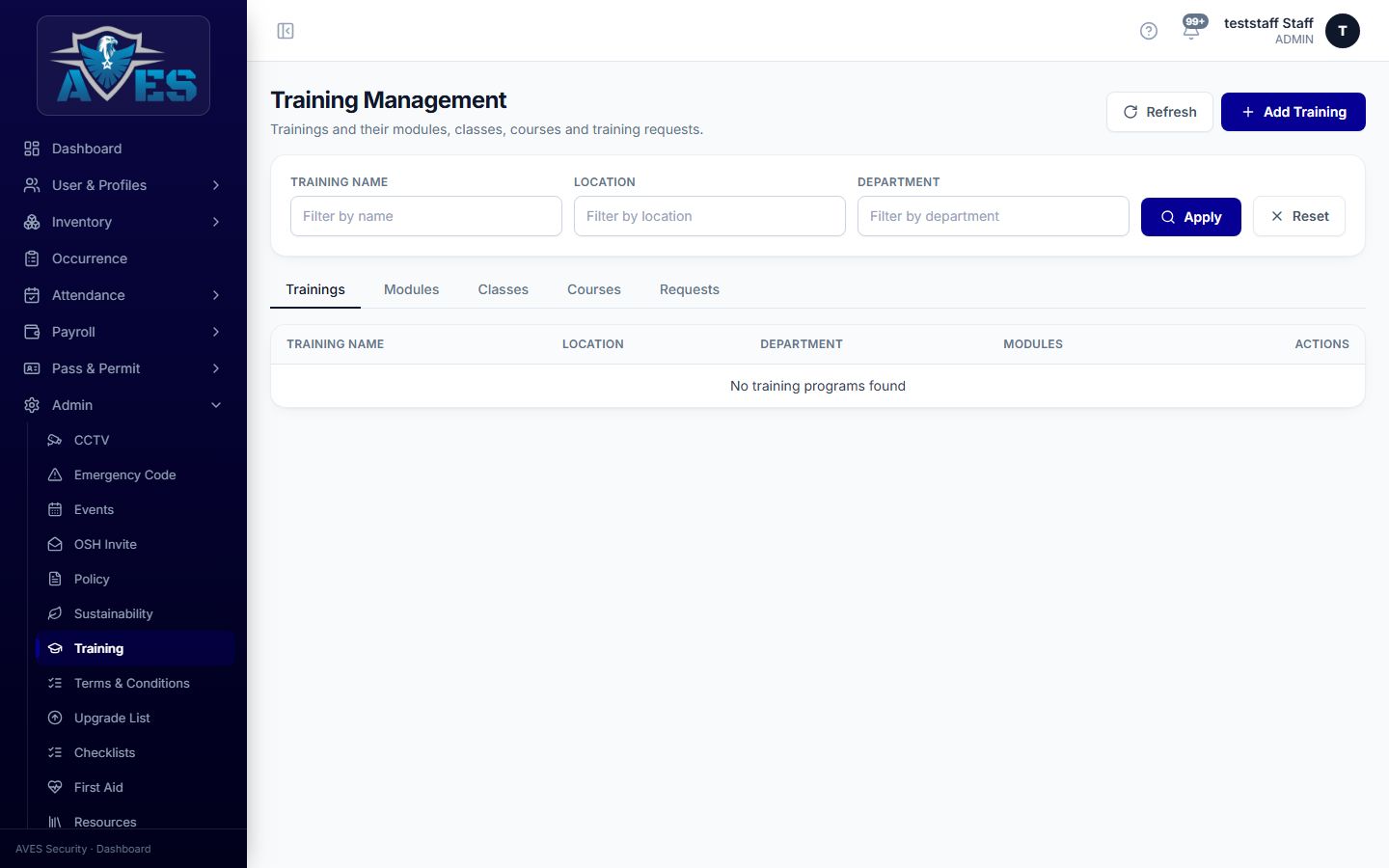
AVES ships a Training module built around a catalogue: a defined, admin-maintained list of the courses the organisation offers. Staff browse that catalogue and submit a request against a specific course rather than describing training in free text. Once a request is logged, it carries a status through to completion: requested, then accepted, then completed, so there is always one place to check where a given request stands. Because every request points to a catalogue entry rather than a typed description, two requests for “first aid refresher” are provably the same course, not two slightly different write-ups of the same idea.
This is the step that sits before the reporting and record-keeping covered in the training management system: the request is the intake, the tracker is the ledger.
What a training request form should capture
Whether it is built in software or on paper as an interim step, a training request form that will actually hold up under a client or audit review needs:
- Staff identity: name and a staff or employee identifier, plus department or site, so the request is tied to a specific person in a specific role.
- Course reference: the exact course name as it appears in the training catalogue, not a free-text description that can drift between requests.
- Request date: the date the request was raised, independent of when it was actioned.
- Status: a single current state (requested, accepted, completed) rather than scattered notes about where things stand.
- Acceptance record: the date the request was accepted and actioned, so the gap between asking and acting is visible.
Keep the form to those fields. Adding a free-text justification box or a manager sign-off step that the underlying system does not actually enforce creates a form that looks more rigorous than the process behind it.
Common mistakes to avoid
A training request form with these mistakes built into it will not hold up under a client or audit review:
- Treating the request as the same thing as the record. A request is an intake event; completion evidence belongs in the broader training record, not folded into the request itself.
- Letting requests sit with no status. A request with no visible state is indistinguishable from a request nobody has seen.
- Free-text course names. If the course is not tied to a catalogue entry, two requests for what should be the same training cannot be matched to each other later.
- No date on the request itself. Without a request date, there is no way to measure how long a team takes to action training needs, which is often exactly what a client review asks about.
Frequently asked questions
Is a training request form the same as a training tracker?
No. The request form is how a training need enters the system. The tracker is the ongoing record of what was assigned, accepted and completed across the whole team. See the training tracker guide for the record-keeping side.
What happens after a request is submitted?
In AVES, a submitted request moves to an accepted status once it is actioned and then through to completed once the training itself has taken place. Each stage is a dated status change, not a separate document.
Does the request need a manager approval step?
AVES’s Training module is built around catalogue-based browse, request and accept actions. If your operation needs a formal manager sign-off ahead of that, that approval should happen as a separate, documented step rather than being assumed into the request form itself.
Can a request be linked to a licence renewal deadline?
The request record itself tracks dates of request and acceptance. For licence-driven training, pair it with the expiry or next-due marker that a complete training record should carry, covered in the training management system guide.
Where this fits with the rest of your HR records
A training request form works best alongside the other documented HR touchpoints security teams already run: performance development plans for ongoing staff development, and employee warning notices for the disciplinary side. Keeping all three on dated, status-tracked records rather than loose paperwork is what makes a client or licensing review straightforward instead of stressful. The same discipline applies to the operational logs your guards keep shift to shift, such as the security guard logbook.
More templates like this training request form are shared on the AVES Instagram, @avessecurity.
Book a 30-minute demo and we will show you the actual AVES Training screen, including how a request moves from submitted to accepted to completed. Book a demo, or start a free trial to see the catalogue and request flow for yourself.