
Security guards and field supervisors spend their own money more often than most employees realise: fuel for a site-to-site run, parking at a client property, a replacement torch battery, a toll on a late callout. None of that gets paid back fairly unless the claim is captured on a form built to survive a payroll review, not scrawled on the back of a receipt. A reimbursement request form is what turns that improvising into a process.
A reimbursement request form is the document an employee completes to claim back money spent on the company’s behalf. It records what was bought, why, how much and who approved it, so the expense can be verified and added to the employee’s next pay run instead of being paid out ad hoc or disputed after the fact.
The problem: claims that cannot be checked
A security company running guards across several sites sees a steady trickle of small, legitimate expenses. The trouble starts when there is no standard way to claim them. One guard texts a photo of a receipt to a supervisor. Another hands over a paper slip at the end of the month. A third simply forgets, then raises it weeks later when the amount is harder to verify.
Without a consistent form, payroll cannot tell a genuine claim from a guess, cannot check it was actually approved and cannot tie it to a specific pay run with any confidence. That is how claims get paid twice, missed entirely or argued over after the payslip has already gone out.
Why it matters for a security company
Guards and supervisors are mobile by the nature of the job: multi-site patrols, gate duty at a client’s premises, emergency callouts outside a normal roster. Out-of-pocket spending is routine, not exceptional, which makes a repeatable claim process a payroll necessity rather than a nice-to-have.
A proper form also protects the company. A claim with a date, an amount, a reason and a named approver is auditable if a client or an internal review ever asks why a cost was paid. A claim with none of that is just a number someone remembers approving, which is a weak position to be in during any dispute. A consistent reimbursement request form turns routine out-of-pocket spending into a predictable payroll task rather than a monthly argument.
How it works: from claim to payslip
The form itself is only half the process. Once an employee submits it, a manager reviews the claim against the stated reason and the evidence attached, then approves or rejects it. An approved claim is not paid as a one-off transaction floating outside the normal pay cycle; it is added to the employee’s next payroll run as a specific line item, so it appears on the payslip alongside wages, overtime and any deductions for that period, with a clear record of which run it landed in.
That last point matters more than it sounds. A reimbursement that is approved verbally and “sorted out later” tends to either get paid twice because nobody remembers it was already settled, or missed entirely because nobody remembers it at all. Tying every approved claim to a specific run closes both gaps.
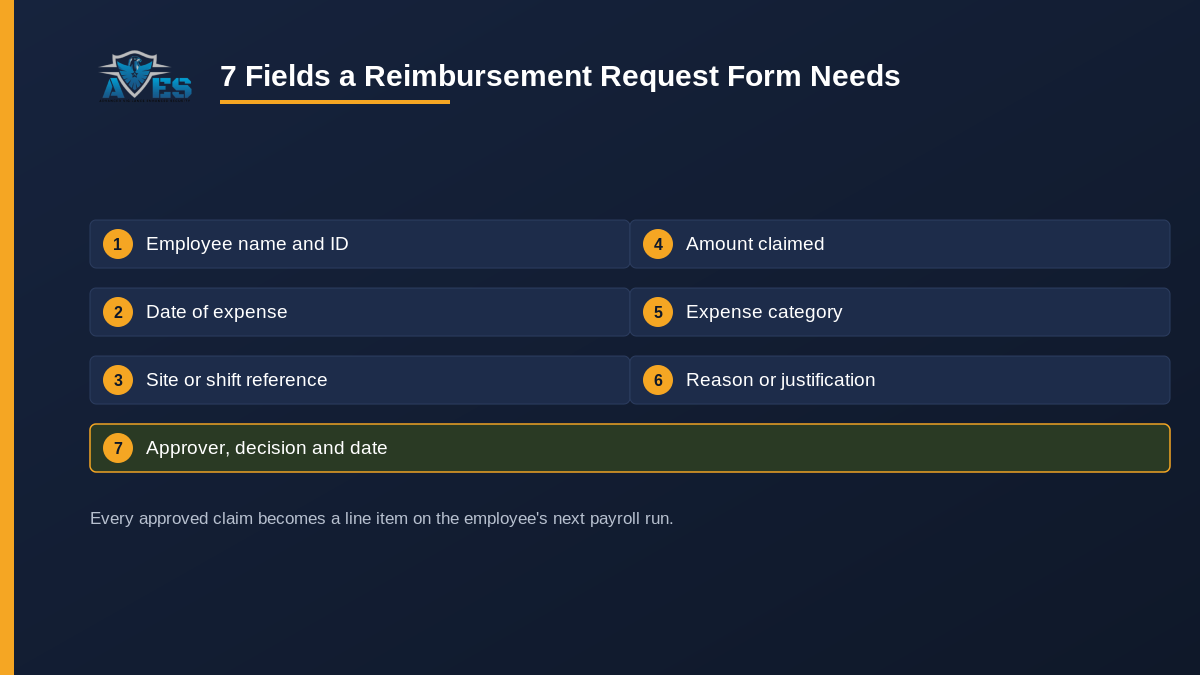
7 essential fields a reimbursement request form needs
- Employee name and ID. Enough to identify who is claiming without relying on a supervisor’s memory.
- Date of expense. The day the money was actually spent, not the day the form was filled in.
- Site or shift reference. Which location, client site or shift the expense relates to, so it can be checked against a roster if needed.
- Expense category. Fuel, parking, tools, equipment repair, meals on an extended shift and so on. A short fixed list is easier to review than free text.
- Amount claimed. The exact figure, in the currency the claim was incurred in if the company operates across borders.
- Reason or justification. A short explanation of why the expense was necessary for the job, not just what it was.
- Approver name, decision and date. Who reviewed the claim, what they decided and when they decided it, so the claim has a clear audit trail before it ever reaches a pay run.
A claim missing any of these is harder to defend later. A reimbursement request form with all seven fields is a five-minute approval, not a month-end argument.
Common mistakes security companies make
Most of what goes wrong with a reimbursement request form comes down to one of four habits.
No fixed expense categories. Free-text “what did you buy” fields turn into a mess of inconsistent entries that nobody can total up by type at the end of the quarter.
Approval happens after the money is already spent and already reimbursed. Verbal approval followed by an informal cash handout removes the audit trail the form exists to create.
Claims arrive after the payroll run has already closed. A form with no deadline tied to the pay cycle guarantees a backlog of “catch-up” claims that disrupt the next run instead of the one they belonged to.
Treating reimbursement as a one-off payment instead of a payroll line item. A reimbursement paid outside the normal pay run, by cash or a separate bank transfer, has no paper trail connecting it to a specific payslip, which is exactly the dispute this form is meant to prevent.
How AVES handles it
AVES does not treat an approved reimbursement request form as paperwork that happens outside payroll. Once a claim is approved, it is added as a line item to the employee’s next payroll run, the same run that calculates wages, overtime and any deductions for that period, so it shows up on the resulting payslip rather than sitting in an unexplained cash drawer. That keeps the claim tied to one specific pay cycle, which is the detail that stops it being paid twice or forgotten.
AVES does not replace the claim form itself with a dedicated receipt-scanning app; the fields above are what a company should capture before a claim ever reaches payroll. What AVES is responsible for is making sure that once a claim is approved, it reliably reaches the right pay run and the right payslip.
FAQ
Is a reimbursement request form the same as an invoice?
No. An invoice is a bill one party sends another for goods or services. A reimbursement request form is an internal claim an employee submits to be paid back for money they already spent on the company’s behalf.
Should reimbursements be paid separately from a wage payment?
It is cleaner to add an approved reimbursement to the employee’s next scheduled payroll run rather than paying it out as a separate transaction, because that keeps one record, on one payslip, instead of two disconnected payments to track.
What happens to a claim that is rejected?
It should be recorded as rejected, with a reason, rather than simply deleted, so there is a record of why it was not paid if the employee queries it later.
Who should approve reimbursement claims?
Typically the employee’s direct supervisor or site manager, someone close enough to the work to judge whether the expense was reasonable, before it is passed on to payroll for the next run.
Does a reimbursement need a receipt?
Most security companies require some form of proof for anything beyond a trivial amount. A form with no evidence field makes every claim a judgement call on trust alone.
Where this fits in your payroll loop
A reimbursement request form is the first step in a chain that runs from a guard’s out-of-pocket spend through to a correctly itemised payslip. The same discipline that keeps a performance development plan or an employee write-up form auditable, a named approver, a date, a clear record, applies here too. On the finance side, the same approved-claim logic is what keeps an accounts receivable ageing report accurate when a client contract passes costs through to billing. If your current process for any of this is still a logbook and a filing cabinet, the same gap shows up in a security guard logbook that nobody can search.
Book a 30-minute demo and we will show you exactly how an approved reimbursement claim lands on the right payroll run and the right payslip: book a demo. Prefer to explore first? Start a free trial. Follow AVES on Instagram for product updates.