
Ask five site supervisors for their “security guard checklist,” and you’ll get five different PDFs, and none of them will match what actually happens on a shift. Some are a single page with ten boxes on it that could apply to literally any job site. Others run four pages long and read like they were drafted by someone in a compliance office who’s never walked a perimeter at 2 a.m. with a flashlight that’s about to die.
Neither version gets used properly, and honestly, guards can’t be blamed for that. A checklist has to fit into the time a shift actually gives you. Eleven minutes between rounds isn’t eleven minutes to fill out a form.
So here’s a security guard checklist built the other way around starting from what a shift actually looks like, hour by hour, and working out what needs to be written down at each stage.
Why Most Security Guard Checklists Don’t Get Filled In Properly
Talk to enough guards and supervisors and the same complaints keep coming up.
Length is the obvious one. Nobody’s filling out fifty line items in the fifteen minutes before a shift starts. What happens instead is that the form gets completed after the fact, from memory, sitting in the guard shack, which more or less defeats the point of having it.
There’s also the problem of everything being lumped together. Gate checks, radio tests, end-of-shift notes, all sitting in one long undifferentiated list. A guard glancing at that mid-shift can’t quickly tell what’s due right now versus what’s for later.
Then there’s the stuff a plain checklist just can’t capture. Say a door’s been propped open with a brick and you’ve told the site manager about it. Where does that go on a form made entirely of tick boxes? Usually nowhere. It ends up scrawled in the margin, or in a separate notebook that nobody ever cross-references again.
And the last one is more of a trust issue. If a checklist doesn’t line up with what a supervisor or a client actually looks at during a review, guards catch on fast, and the whole thing starts feeling like busywork.
None of that gets solved by tacking on more boxes. It gets solved by matching the security guard checklist to how a shift actually unfolds, and by making sure whatever gets written down has somewhere real to go afterward.
Security Guard Checklist, Broken Down by Stage of the Shift
Before You’re Even Posted
The first five or ten minutes on site, ideally before you relieve whoever’s coming off shift.
- Uniform and ID badge on and correct for the site
- Radio switched on, charged, tested on the right channel
- Flashlight charged and actually working (not “worked yesterday”)
- Duty phone or panic button charged, if the site issues one
- Keys, cards, or fobs collected and checked against the key log
- Previous shift’s incident log or occurrence book read through
- Any handover notes from the outgoing guard read and understood, not just glanced at
- Standing orders checked in case anything’s changed since last shift
- PPE checked, if the site calls for it
If something’s off here dead radio, keys missing from the log that’s the moment to say something. Not two hours in, once you’ve already started rounds without it. This is the part of the security guard checklist that gets rushed most often, and it’s the cheapest one to get right.
On Rounds
This is the part guards carry with them, clipboard in hand or phone in pocket. It has to be quick, or it slows the whole patrol down and people start skipping it.
At each point on the round:
- Door or gate is in the state it’s supposed to be in
- Locks and hinges look fine, nothing pried or forced
- Lighting’s working in the area
- Fire exits and extinguishers aren’t blocked
- Anything unusual a car that shouldn’t be there, someone loitering gets a note
- Checkpoint scanned or logged, whatever method the site uses
- Time noted
At access points specifically:
- Visitor log current, nobody unregistered wandering around
- ID actually checked for anyone coming in, not waved through
- Deliveries logged
The time matters more than people think. A checkmark tells you the check happened; a timestamp tells you when. That gap is exactly what digital patrol tools are built to close automatically. We go into that in guard duty verification if you want the fuller picture. It’s also a piece of a security guard’s checklist that a paper form struggles to prove after the fact.
In the Control Room
For anyone posted there or rotating through:
- Camera feeds all up and recording
- No dead cameras that haven’t been flagged
- Playback tested, works when you need it to
- Alarm panel showing the correct armed/disarmed status
- Access control system logging properly
- Storage isn’t about to run out
- Any system alerts actually looked at, not dismissed
Even sites without a real control room usually have someone holding this responsibility. That person should still run through it once at the start of the shift and once more before handing off.
Logging What Actually Happened
This is the step that gets skipped most, and it’s usually the one that matters most when something goes wrong later.
- Every incident logged with a time, a location, and a description that isn’t three words
- Photos where it’s safe and relevant to take one
- Anything serious escalated to a supervisor or client contact, not sat on
- Log reviewed before the shift ends, not left half-finished
- Lost property logged and put somewhere secure
- Maintenance stuff: a broken light, a lock that sticks noted separately so facilities actually see it
An occurrence log is only worth something the day a client rings up asking what happened at 2 a.m. on the 14th and someone can actually answer. It’s arguably the most overlooked line on the whole security guard checklist. We’ve written more about what a decent log should include in the daily occurrence log walkthrough.
Handing Off
This is where a good shift either counts for something or doesn’t. A guard can do everything right for eight hours and still leave the next person in the dark if the handover is just a wave and “nothing happened.”
- Everything above is actually completed, not half-done
- Keys, radios, equipment physically handed over
- Anything unresolved flagged clearly, not left for the incoming guard to discover
- Incident log gone through together, not just left on the desk
- Any follow-ups noted with where things stand
- Handover signed or timestamped by the person coming on
If the site runs a set roster, this is also a decent moment to double-check that the next shift is actually staffed the way it’s meant to be, worth checking against the security guard duty roster. Handover is the last checkpoint on the security guard checklist, and it’s the one that decides whether everything before it actually meant something.
Paper Security Guard Checklist or an App: Does It Matter?
Paper’s fine. Guards have been using clipboards for as long as there’s been a job to do, and there’s nothing wrong with printing this list and sticking it in a guard shack.
Where it falls apart is proof. A ticked box tells you the box got ticked; it doesn’t tell you the guard was actually standing at the checkpoint when they ticked it. On a slow night, it’s not hard to fill in ten boxes at once from memory near the end of a shift. That’s fine right up until a client wants proof of coverage, or an incident needs to be matched against the exact minute a patrol went past a specific door.
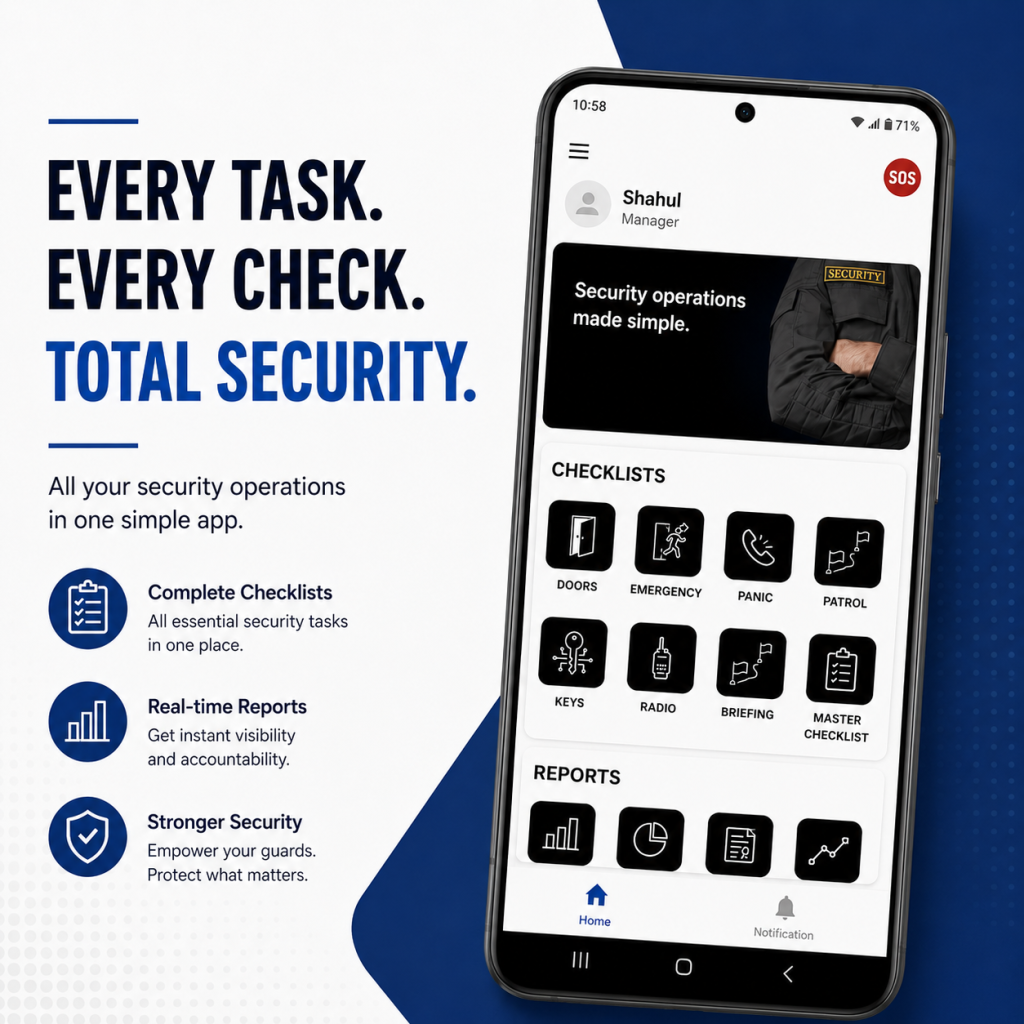
That’s the gap digital tools are built for: a guard scans a checkpoint or logs something in the moment, the time and location attach on their own, and a supervisor can actually see the shift happening rather than reconstructing it off a clipboard the next morning. If attendance by location is also something your team tracks, geofence attendance covers how that fits alongside patrol checks.
Format matters less than structure, though. A checklist built around how a shift actually runs pre-shift, patrol, control room, incidents, handover gets used whether it’s on paper or on a phone. A forty-item list with no shape to it usually doesn’t, no matter what it’s printed on.
Adjusting This Security Guard Checklist for Your Own Site
Treat this as a starting point, not something to follow word for word. A retail site is going to care a lot more about the visitor log than about a fence line. A warehouse is roughly the reverse. The five stages hold up across both; what changes is which specific items sit inside each one.
One rule holds regardless of how you tweak it: if a check doesn’t have a clear instruction to be written down, it won’t get written down consistently. Build around where the information needs to end up, not just what someone’s supposed to look at.
Last Word on This
A security guard checklist earns its place by matching how a shift actually goes, not by looking thorough on paper. Five stages: pre-shift, patrol, control room, incidents, handover cover what needs checking without turning the job into paperwork.
Print it out and laminate it, or build it into a patrol app. Either way, the point’s the same: every check needs somewhere real to go once it’s done.
Curious how AVES turns this same checklist into a digital patrol and occurrence log that guards actually use on shift? Book a walkthrough and see it on a real screen →
CONTACT US
Website: https://www.avessecurity.com
LinkedIn: https://www.linkedin.com/company/aves-security-management-system/
Instagram: https://www.instagram.com/avessecurity/
FAQ
Do I need a separate checklist for every site?
Not a separate one exactly, more of an adjusted one. The five stages carry over no matter the site, since this security guard checklist is meant to be a base, not a rigid form. What changes underneath them is which specific items matter, since a warehouse and a retail store aren’t watching for the same things.
Paper or phone, which one should guards actually use?
Both get the job done day to day. Paper’s simple, and guards already know how to use it without training. The catch is what happens afterward: the paper shows the boxes got filled in, not that anyone was actually there when it happened. A phone-based version timestamps and locates the entry without anyone having to think about it.
What’s the step guards skip the most?
Getting the handover actually acknowledged by the incoming guard, rather than just talked through on the way out the door. Easy to skip, but it’s usually the one thing that decides whether the next shift can trust what’s on the page.
Isn’t this the same thing as a duty roster?
No roster tells you who’s working and when. This is what that person is meant to actually do once they’re on post. They sit next to each other, but one’s about staffing and the other’s about what happens during the shift itself.
Does filling in a checklist actually prove the rounds happened?
Not by itself. It shows boxes were ticked, not necessarily when or where. If you need something closer to actual proof, timestamped checkpoint scans tied to a location, that’s what guard duty verification covers.